86 Operating manual LH101
Routes
Routes saved in the LH101 will be available even after a
reset to the ex-factory setting.
13.9 Route interval
This setting determines the time lag with which switch commands of a
route are sent to the command station. The settable range is 300ms
(0.3s) to 2750ms (2.75s).
The ex-factory setting is 300ms. If individual points in a route do not
switch, increase the route interval in steps of 100ms.
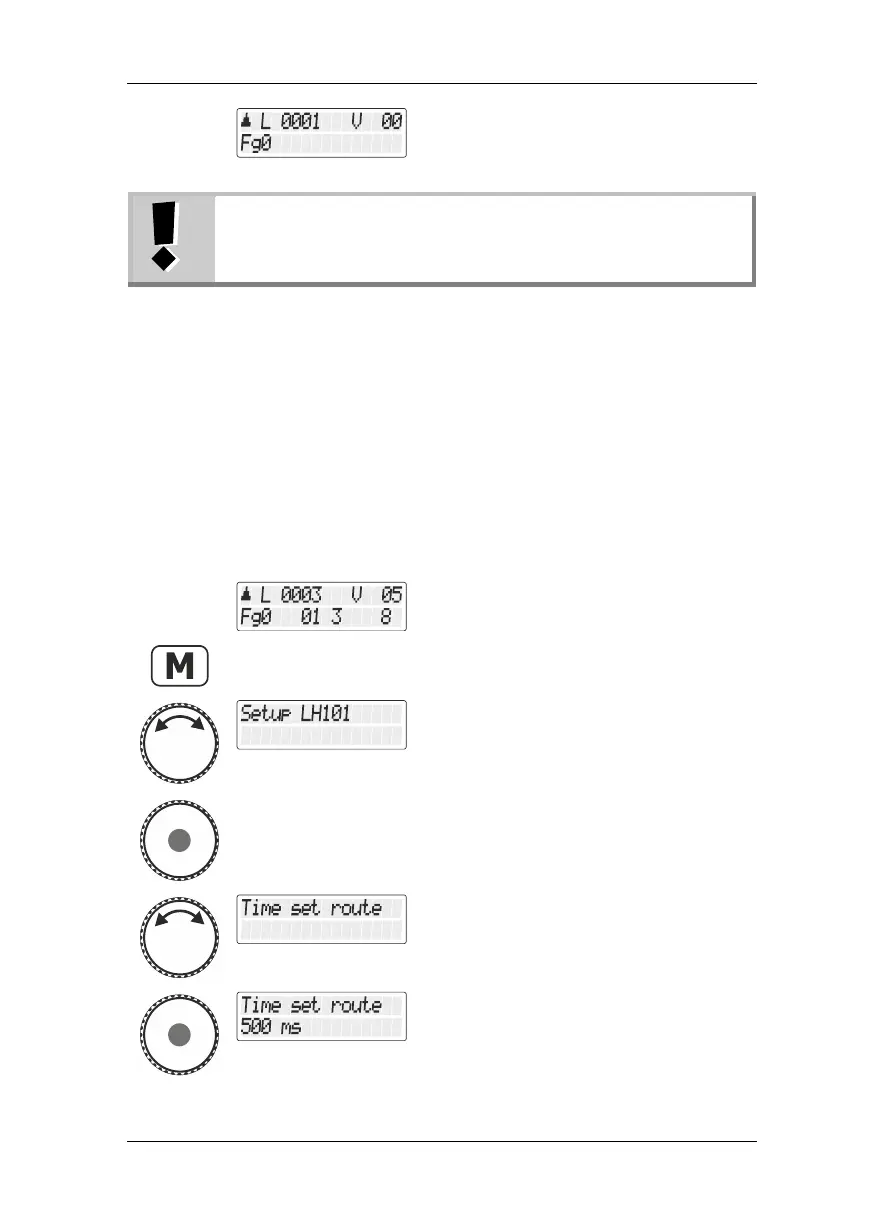
Select the locomotive address that is to be
operated in club mode 1 or 2.
Turn the rotary knob until the option "Setup
LH101/LH101 setup" is displayed."
Press the rotary knob to select this option.
Turn the rotary knob until the option
"Fahrstrassenzeit/Route interval" is
displayed.
Press the rotary knob to display the current
setting (ex-factory setting is 500ms).



 To Next Page