64 Operating manual LH101
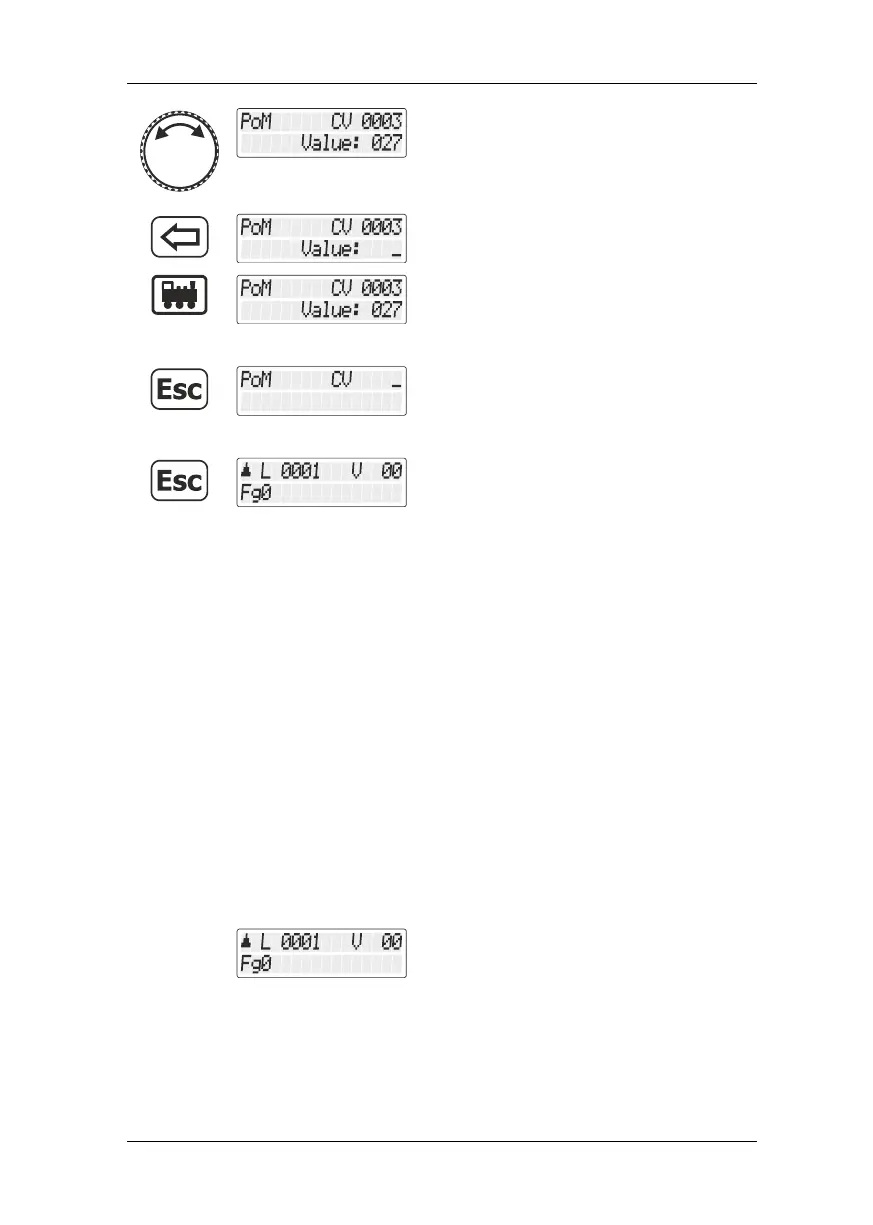
You can now use the rotary knob to change
the value. The new value is immediately
entered into the decoder. This is particularly
useful if you want to e. g. change the
brightness of the locomotive lighting.
Alternatively, press the '<=' key to enter
another value using the key pad …
… and start programming again.
Press the 'Esc' key to return to entering the
CV.
Press the 'Esc' key again to return to
“Controlling locomotive”.
12.2.4 Reading out CVs using the LRC120 address display
It is possible to read out CV values via PoM during operation.
Requirements:
use of a RailCom-capable locomotive decoder
the locomotive is located in a track section monitored by the
LRC120 address display
RailCom transmission is enabled in the decoder
Information on how to connect the LRC120 address display as well as
the settings of RailCom-capable locomotive decoders can be found in
the respective operating manuals.
Proceed as follows:
Call up the locomotive whose settings you
want to change using PoM.
Move the locomotive whose CVs you want to read out using PoM to the
track section monitored by the LRC120 address display. The address
display now shows the address of the locomotive.



 To Next Page