82 Operating manual LH101
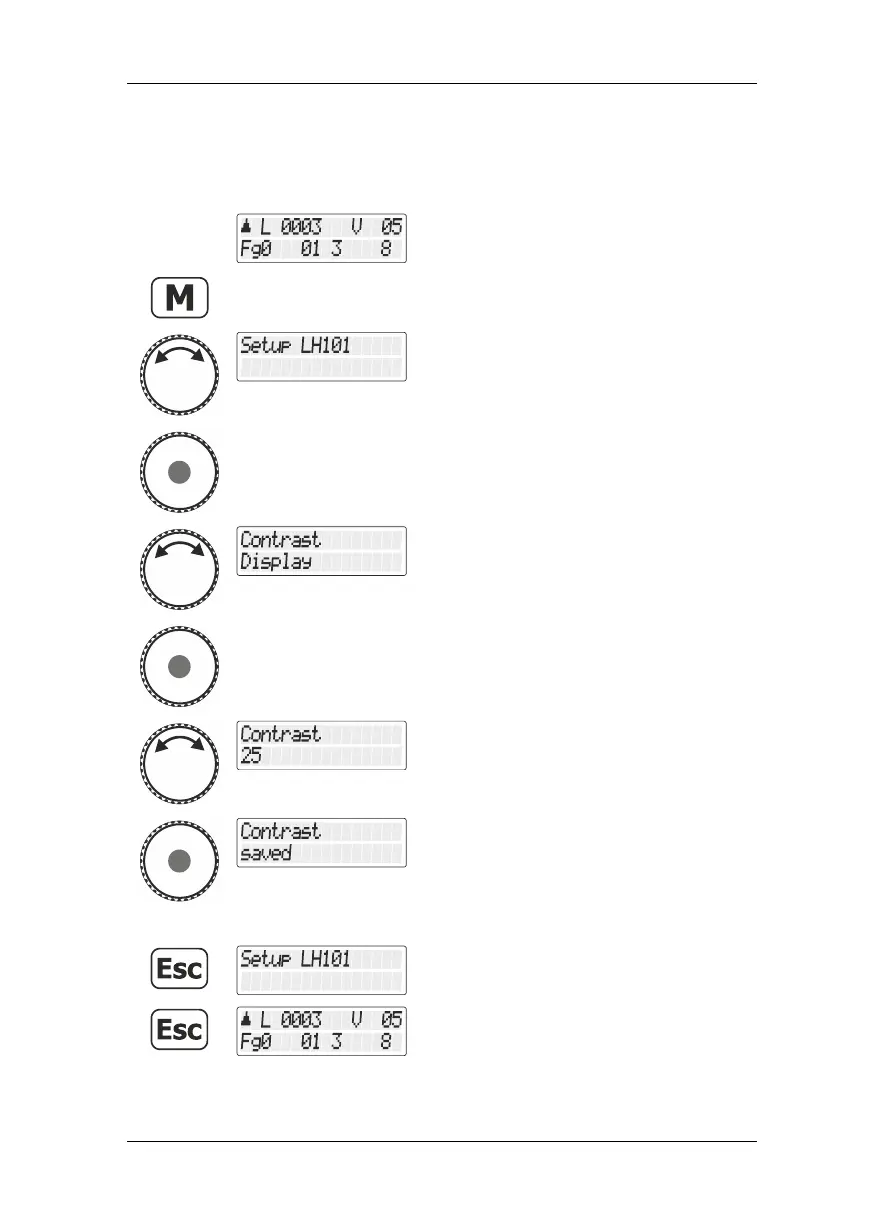
13.5 Display contrast
Select the locomotive address that is to be
operated in club mode 1 or 2.
Turn the rotary knob until the option "Setup
LH101/LH101 setup" is displayed.
Press the rotary knob to select this option.
Turn the rotary knob until the option "Kontrast
Display/Display contrast" is displayed.
Press the rotary knob to select this option.
Turn the rotary knob to set the display
contrast. You can see the result immediately.
Press the rotary knob to confirm the setting.



 To Next Page