Creating, editing and deleting routes 37
7.2.1 Editing a step in a route
Proceed initially as described in the section "Editing a route", page 35
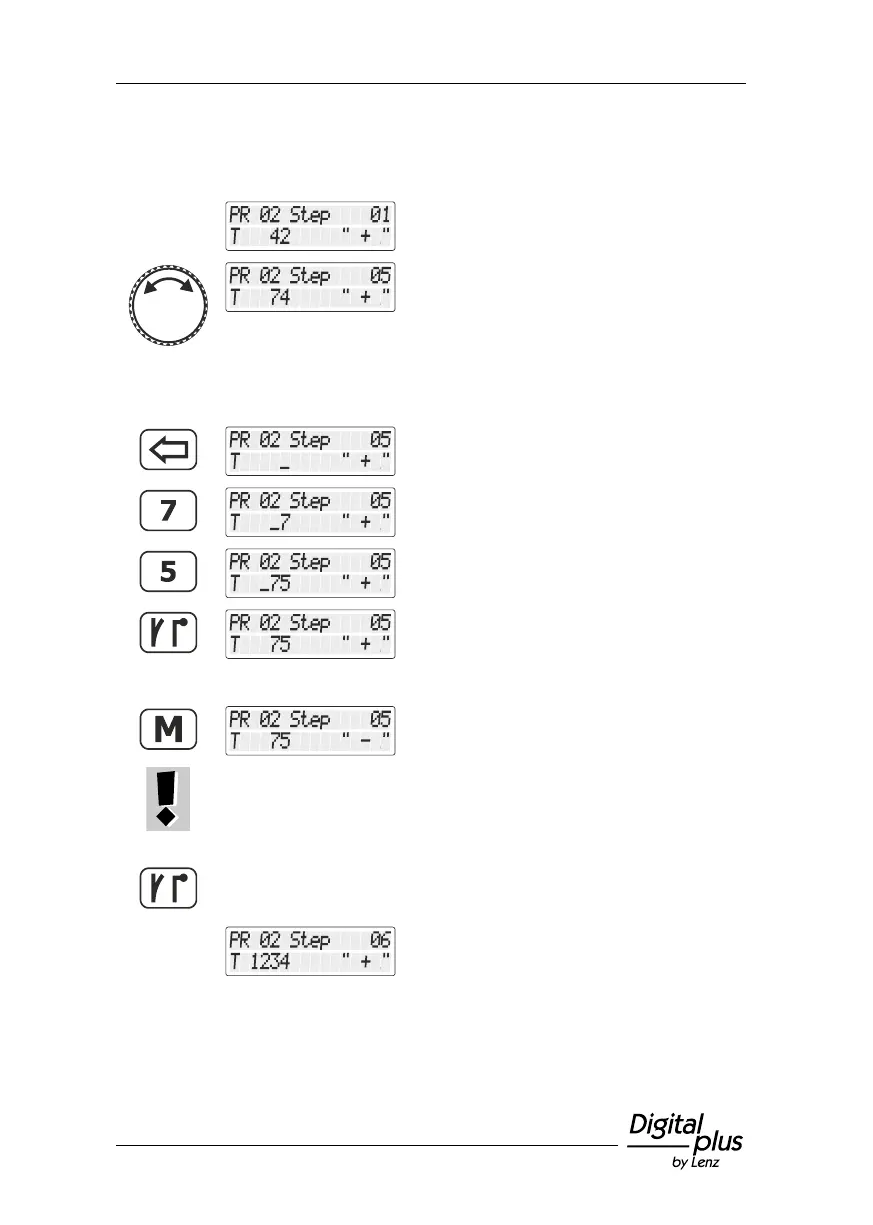
and select the option "Change step".
The first step in the route selected for
changing is displayed.
Scroll to the step that you want to change.
If you only want to change the point setting, proceed with (2) =>
If you want to change the point address of
this step, delete the address displayed and …
start to enter the new point address.
Press the 'point/signal' key to confirm your
entry.
Press the 'M' key to change the setting.
Press the 'M' key again to send a corresponding switch command to
the point/signal. This way you can verify if you have selected the
correct point and the correct setting.
Press the 'point/signal' key to confirm your entry.
The change is saved.
The next step of the route is offered for entry.
You can edit this step …



 To Next Page