LH101 setup (device setting) 85
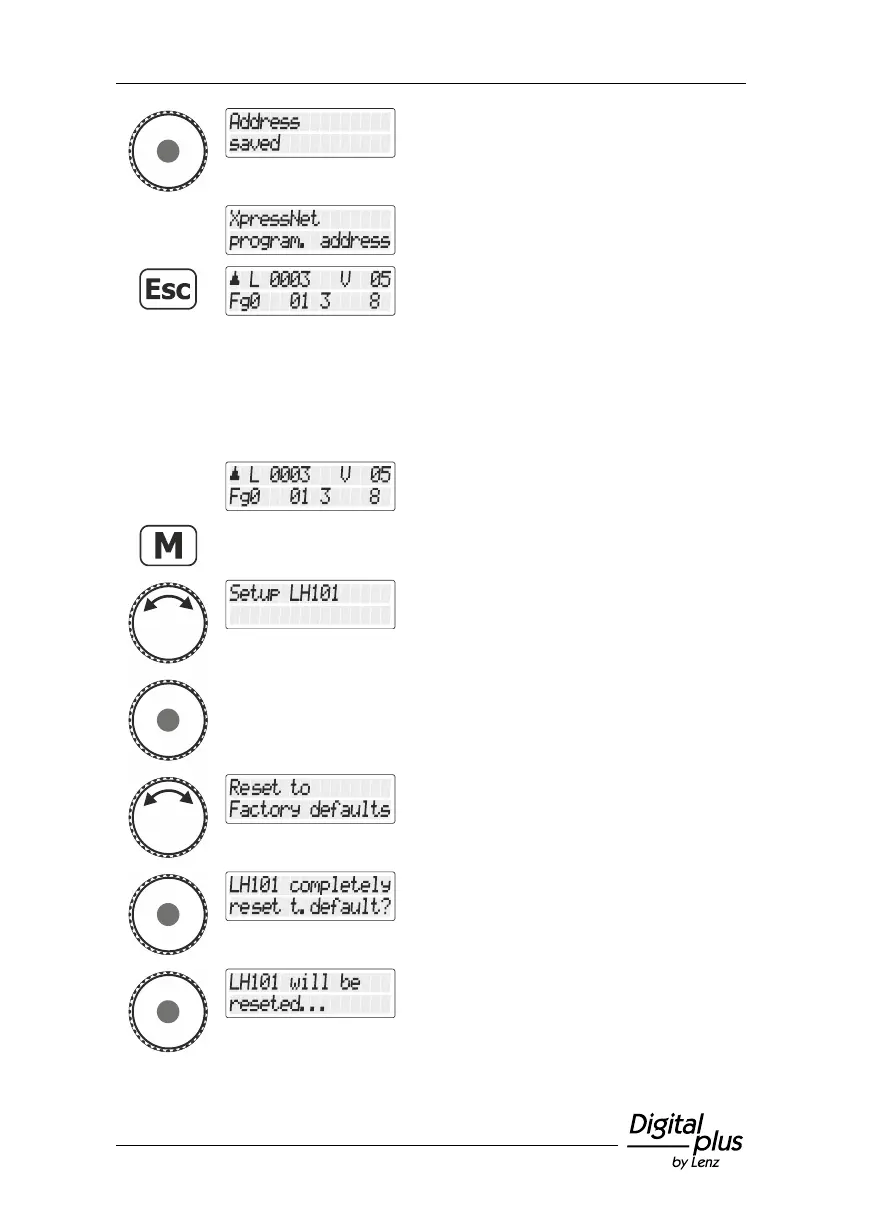
Press the rotary knob to save the displayed
value.
Return to the menu "XpressNet Adresse
einst./Setting the XpressNet address".
Press the 'Esc' key to return to “Controlling
locomotive”.
13.8 Reset to ex-factory setting
Select the locomotive address that is to be
operated in club mode 1 or 2.
Turn the rotary knob until the option "Setup
LH101/LH101 setup" is displayed.
Press the rotary knob to select this option.
Turn the rotary knob until the option " Reset
to factory defaults” is displayed.
A security query is displayed. Press the 'Esc'
key to cancel the process.
Press the key again to reset the device to the
ex-factory setting.
This takes a few seconds …



 To Next Page