44 Operating manual LH101
9.3 Assembling two locomotives in a double
traction:
Call up the first locomotive (e. g. locomotive no. 24) and drive it to the
location on your layout where you want to couple it to the second
locomotive.
Now, call up the second locomotive (e. g. locomotive no. 78) and drive
it next to the first locomotive.
In this manner you make sure that you have both locomotives called
up by your manual control and that you have given each of them an
operating command.
Make sure that both locomotives are set to run in the same direction.
It is, of course, possible that the direction arrow of one locomotive
points up and the direction arrow of the other locomotive points down,
since the direction of travel is locomotive-dependent.
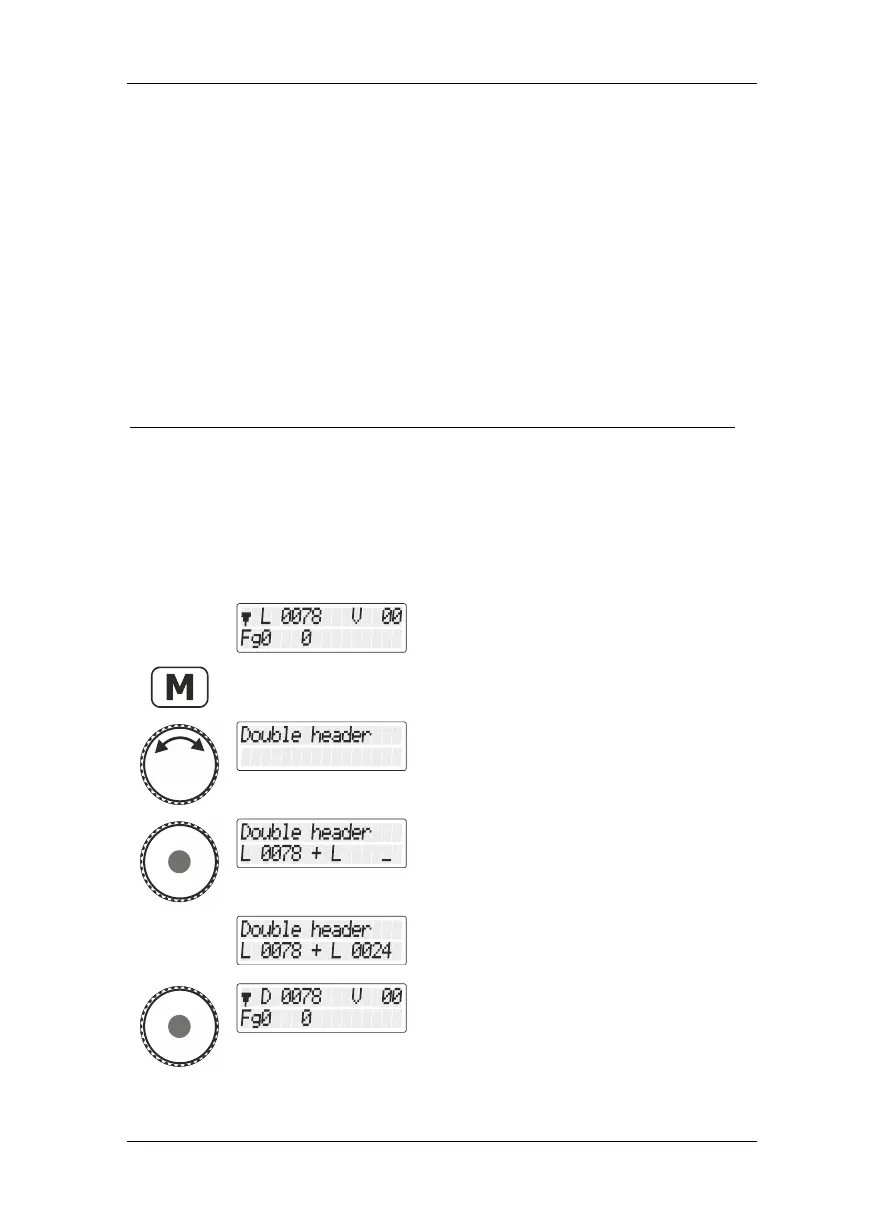
Proceed as follows:
Locomotive no. 78 operated last is still shown
on the display.
Turn the rotary know to display the option
"Doppeltraktion/Double traction".
Press the rotary knob to select the option.
Use the keypad to enter the locomotive
address or turn the rotary knob to select a
locomotive address from the stack.
After entry or selection, locomotive address
78 is displayed as a double traction "D".



 To Next Page