Configuring (programming) decoder settings 71
12.3.4 Reading out and programming a CV
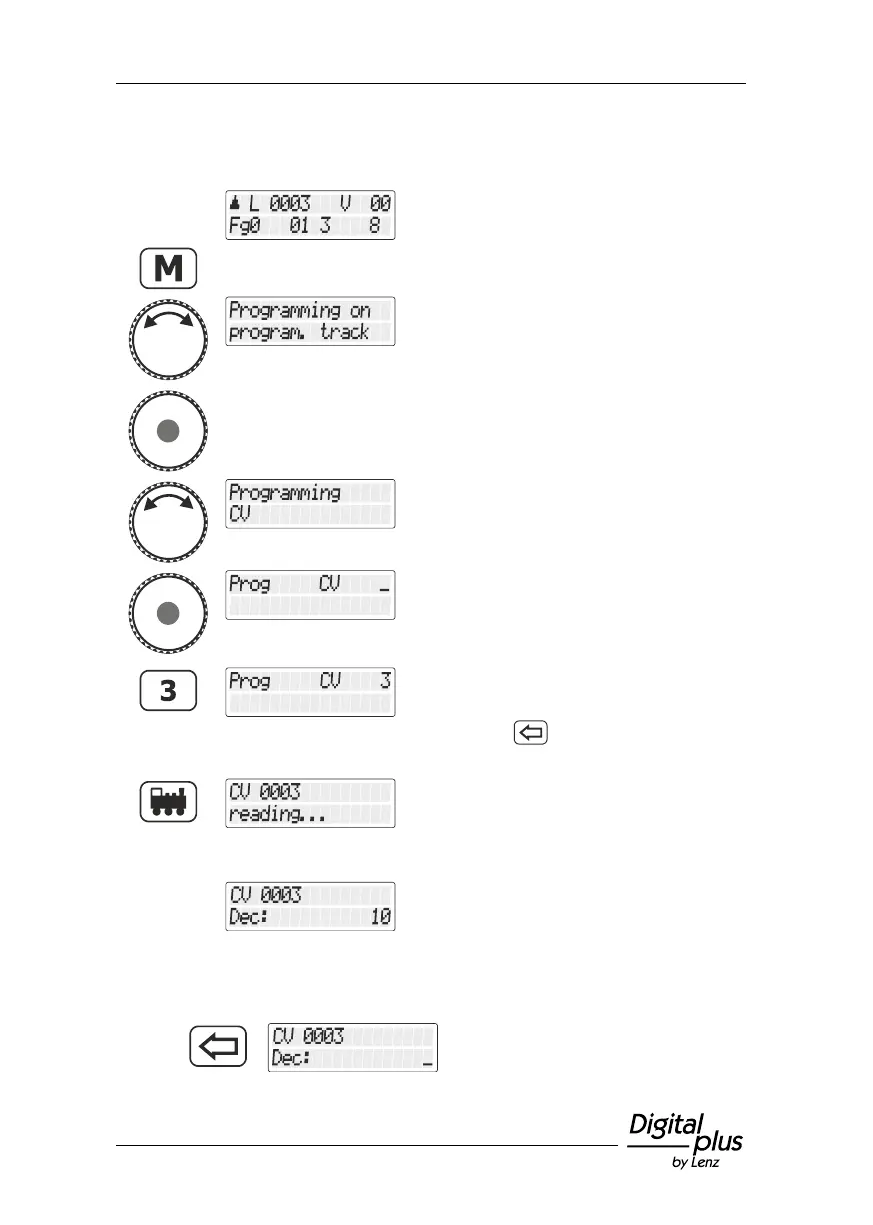
Proceed from “Controlling
locomotive”.
Change to the general menu.
Select the relevant menu entry
… and confirm your selection.
Turn the rotary knob until "Programmieren
CV/Programming CV" is displayed …
… and confirm your selection. You
are asked to enter the CV whose
value you want to read out or
change.
Enter the number of the CV using
the keypad …
(press the key to correct your
entry if necessary)
… press the 'locomotive' key to
complete the entry process.
The CV is read out and the result
displayed.
Now, you have the following options:
Enter another value in the CV



 To Next Page