46 Operating manual LH101
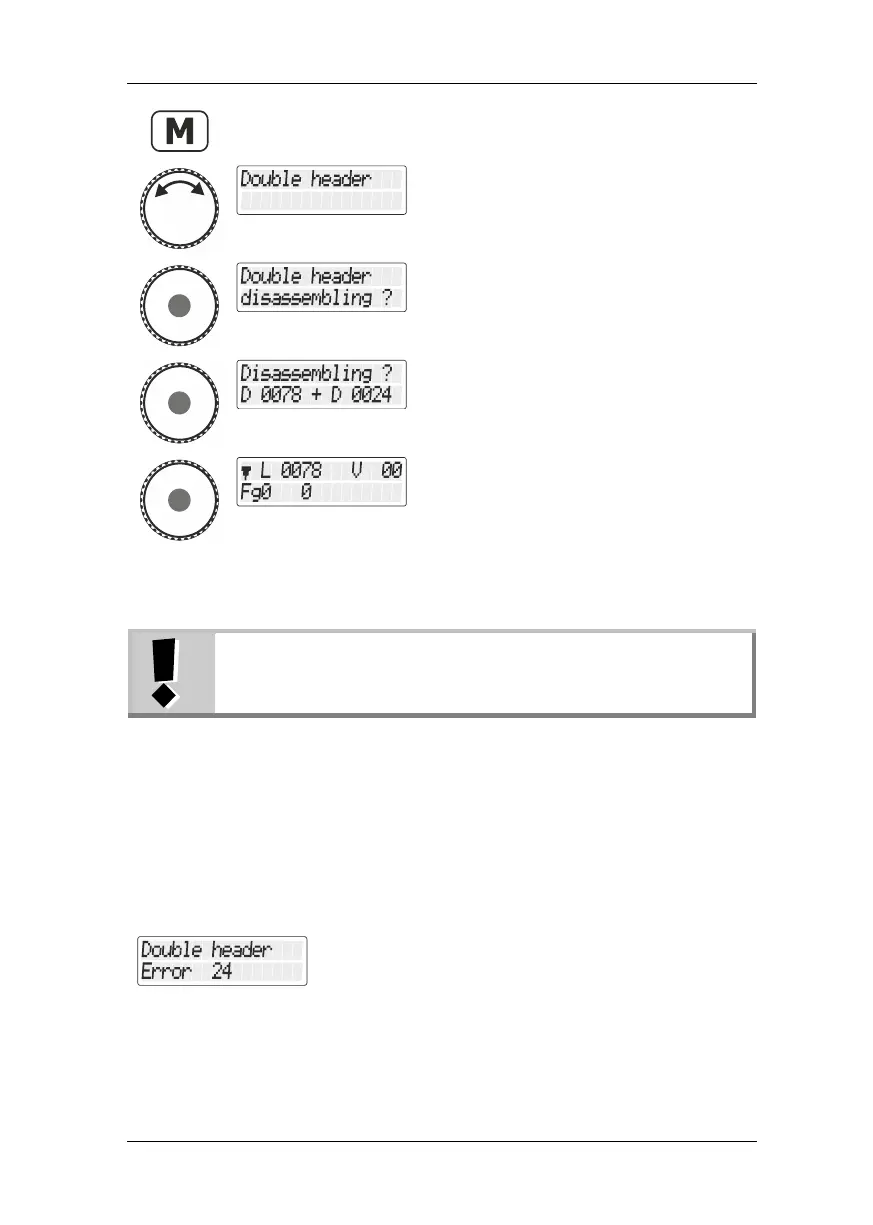
Turn the rotary knob until you reach the
option "Doppeltraktion/Double traction".
Press the rotary knob to select the option.
A security query is displayed. Press the 'Esc'
key to cancel the process.
Press the key again to disassemble the
double traction; alternatively, press the 'Esc'
key to cancel the process.
Once the double traction is disassembled, the display again shows an
“L” in front of the locomotive address.
You can disassemble a double traction even if the current
speed step is not 0!
9.6 Error messages when assembling a double
traction
If you made an error when assembling the double traction, you will see
one of the following messages on the display:
- The address of the locomotive was not entered in the
stack before it was added to the double traction, or
- the locomotive in the stack has not been operated yet
or
- you have tried to add a conventional analogue
locomotive (address 0) to a double traction.



 To Next Page