78 Operating manual LH101
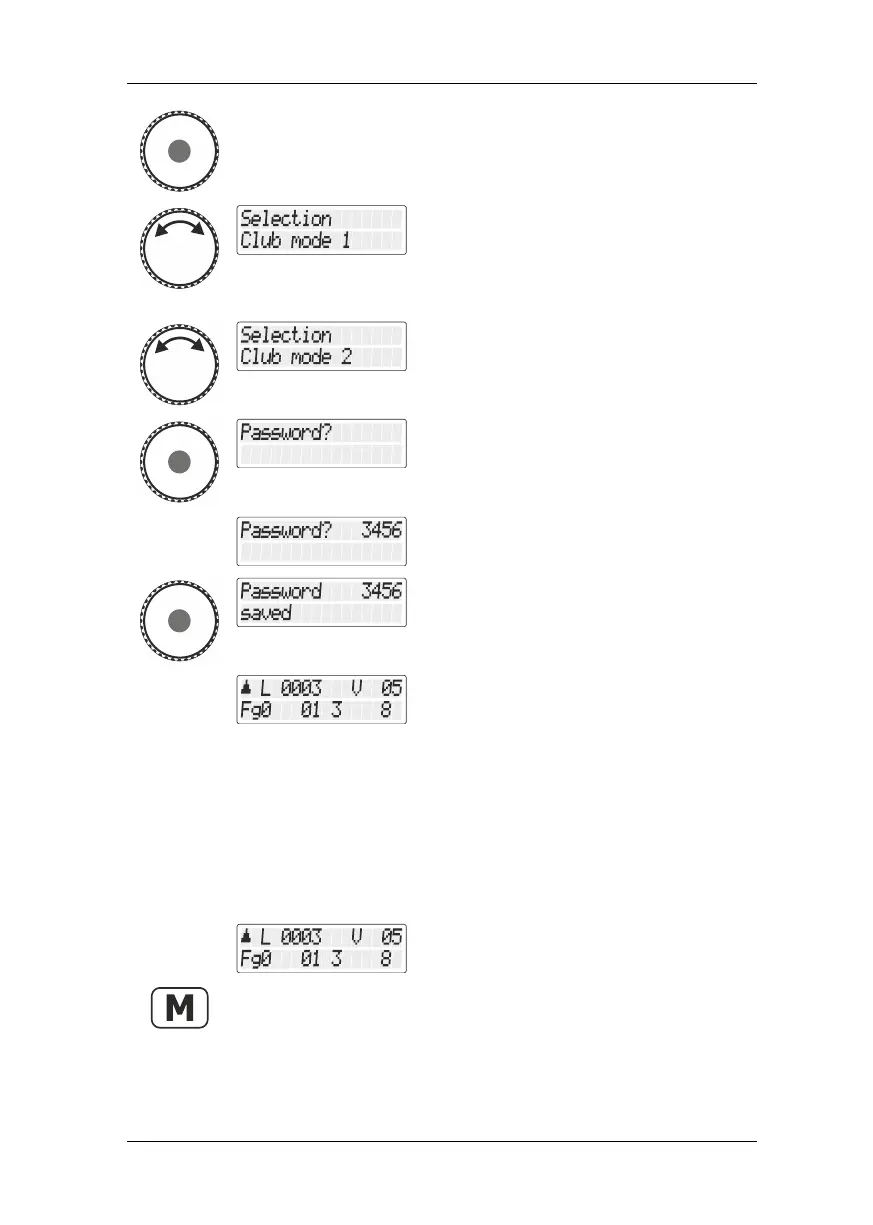
Press the rotary knob to select this option.
You can now choose between "Clubmodus
1/Club mode 1" and " Clubmodus 2/Club
mode 2”.
(If the LH01 is in mode 1 or 2, this menu is
not available).
Press the rotary knob to select the desired
club mode.
You are asked to enter a four-digit number as
password.
Press the rotary knob to complete the
process.
The LH101 returns to “Controlling
locomotive”. The restrictions of the selected
club mode are enabled.
13.2.2 Setting mode 0
If you want to reset the LH101 that is in club mode 1 or 2 to the
"standard" mode, proceed as follows:
Proceed from “Controlling locomotive”
(address or speed step are displayed)…
… press the 'M' key and keep it pressed
until …



 To Next Page