18 Operating manual LH101
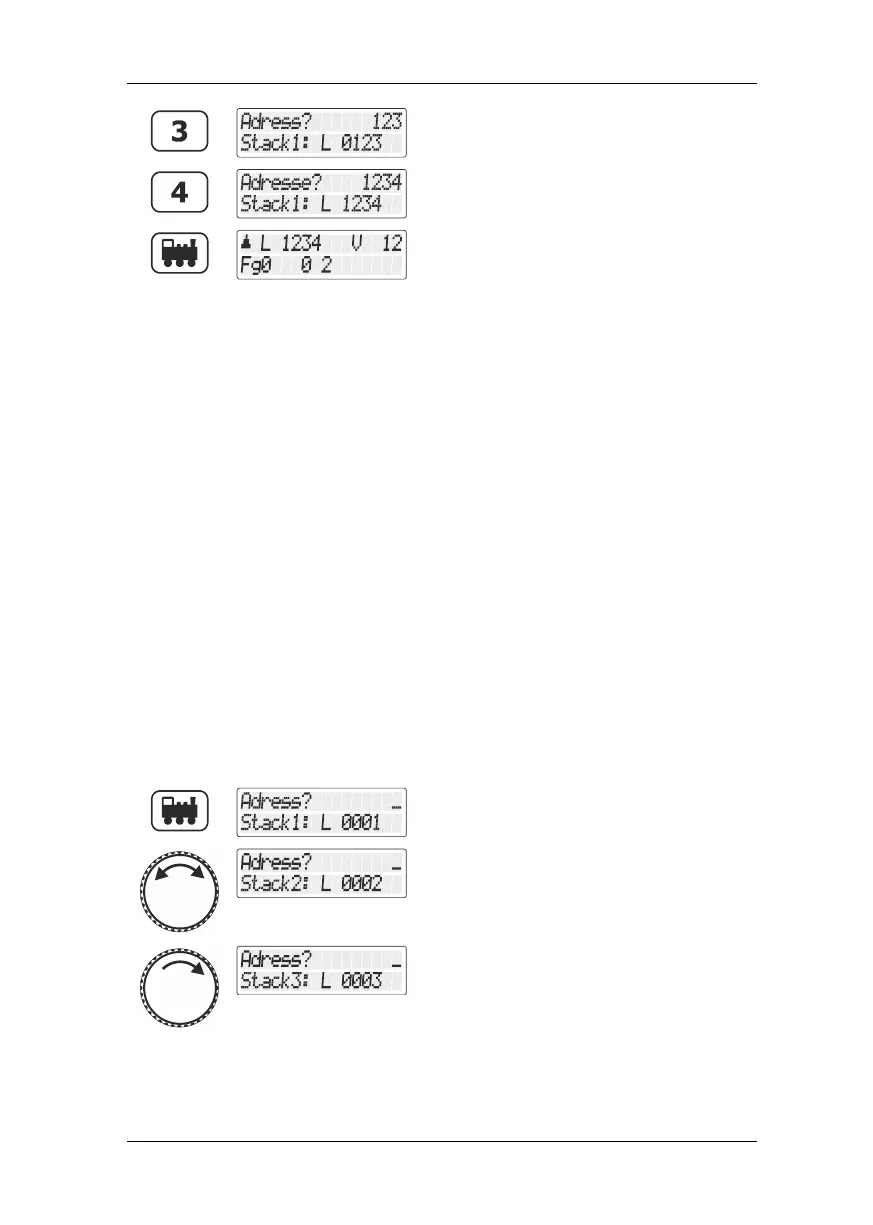
Continue to enter the address.
After you have entered the complete
locomotive address, the information about
function, direction and speed step associated
with this locomotive address is queried from
the command station and displayed.
If the display flashes after you have called up the locomotive address,
the locomotive has already been called up by another manual control.
You can still take over this locomotive: To this end, simply press the
rotary knob.
5.1.2 Choosing locomotive addresses from the “stack” of the
LH101
The LH101 manual control has a so-called “stack” for locomotive
addresses. In this stack, you can save 8 locomotive addresses. Use
the rotary knob to scroll through the stack. The stack can be compared
to an index card box with 8 index cards. You can place any locomotive
address in the stack slots.
Ex-factory, locomotive addresses 1 to 8 are placed in the stack.
5.1.2.1 Scrolling through the stack
Press the 'locomotive' key.
Turn the rotary knob to scroll through the
stack. Turn clockwise to scroll forward, turn
counter-clockwise to scroll backward.
The display shows the respective stack slot
(here: stack 3) and the locomotive address
placed therein (here: "0003").



 To Next Page