LH101 setup (device setting) 83
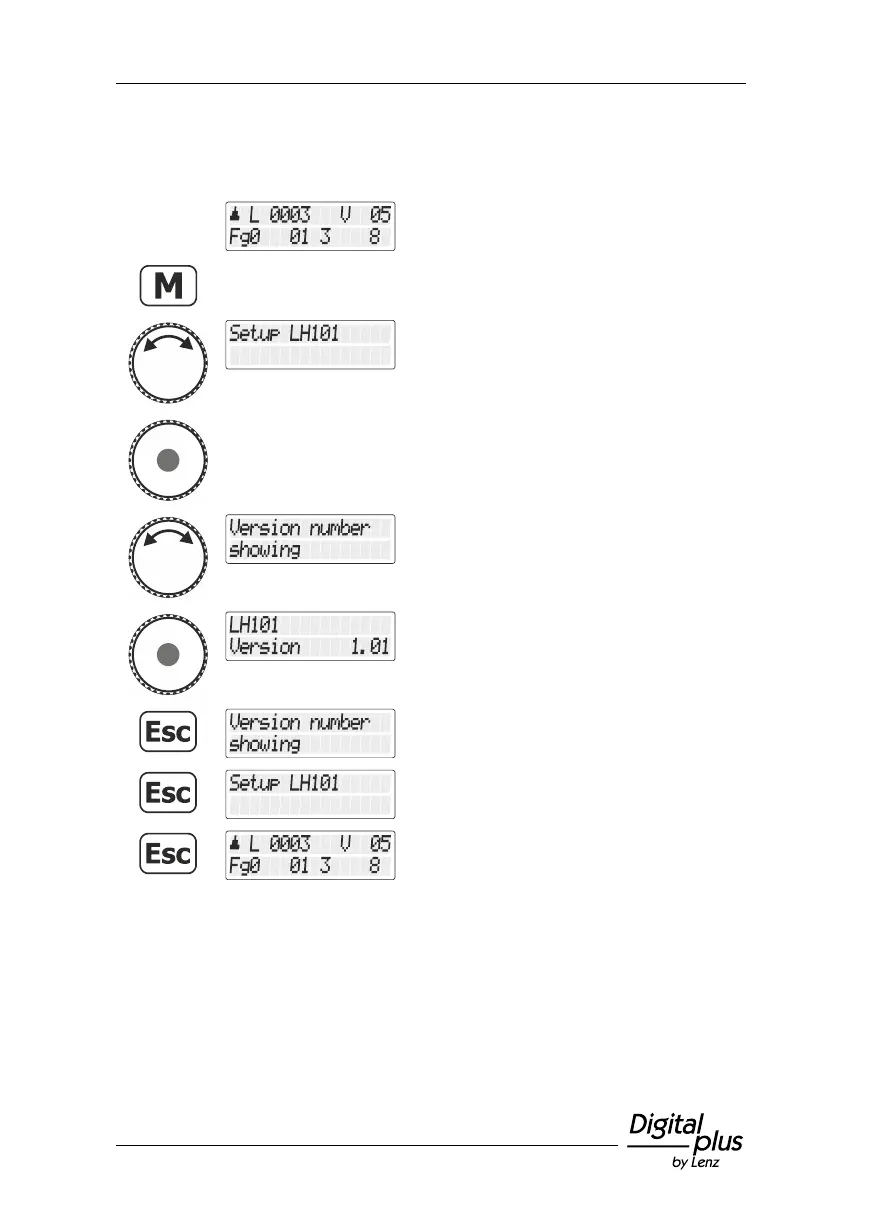
13.6 Displaying the version number
Select the locomotive address that is to be
operated in club mode 1 or 2.
Turn the rotary knob until the option "Setup
LH101/LH101 setup" is displayed.
Press the rotary knob to select this option.
Turn the rotary knob until the option
"Versionsnummer anzeigen/Displaying
versions number" is displayed.
Press the 'Esc' key to move up one level in
the menu …
… until you return to “Controlling locomotive”.



 To Next Page