70 Operating manual LH101
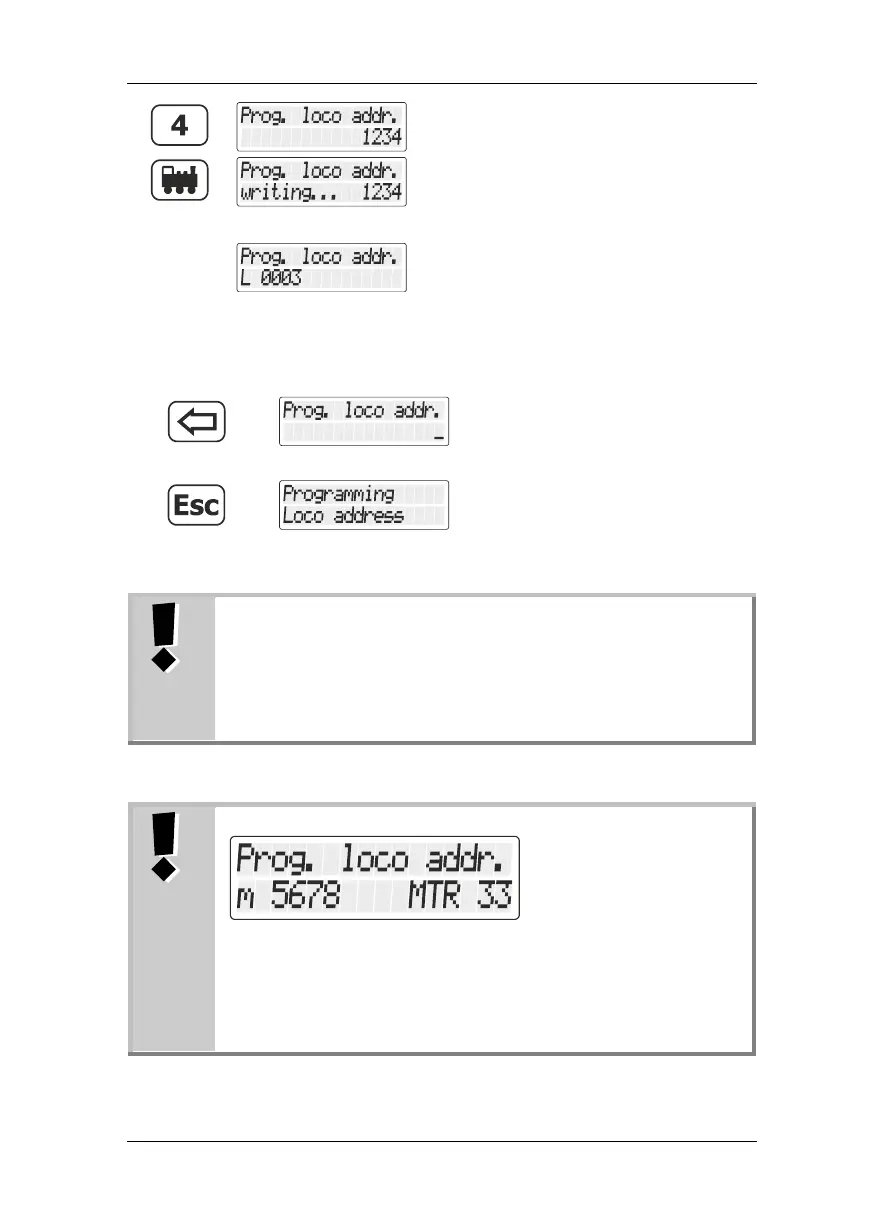
Press the 'locomotive' key to complete the
entry process.
The desired address is now entered into the
locomotive decoder.
The locomotive address is displayed.
If an error occurred during the entry process,
you will receive an error message (p. 74).
Now, press
to enter another locomotive
address
to move one step upwards in the
menu.
2-digit addresses (1-99) are saved in CV1, 4-digit
locomotive addresses (100-9999) are saved in CV17 and
CV18. While in the menu "Programmieren
Lokadresse"/Programming locomotive address", you do
not have to think about this. All necessary settings are
made automatically!
If you see this display while reading out the address,
multiple traction address 33 is programmed in the
locomotive decoder with address 5678 and the locomotive
is set to operate with the MTR address 33.
If you enter a new address, the MTR address will be
deleted!


 To Next Page
 Loading...



