32 Operating manual LH101
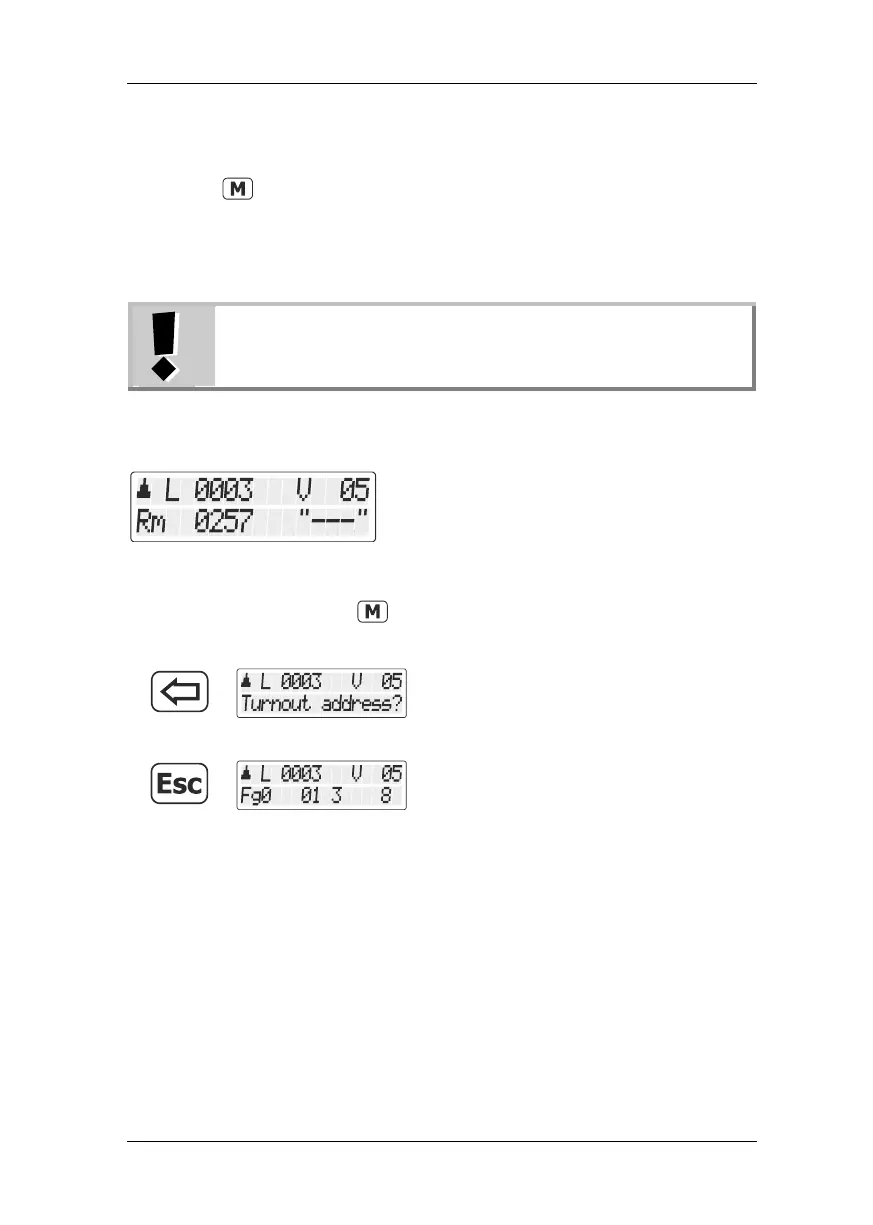
‘Rm’ indicates that you have called up a point number of a feedback-
capable LS100 switch decoder.
When calling up the point, the position + may be displayed. If you now
press the key to switch the point, the display changes to – (if the
switching has actually taken place). Otherwise, the initial display
remains. This way you can immediately see if a point setting has
changed or not. The display also changes if you switch the point
manually.
The display changes only when the final position of the
point drive has been reached.
For information on wiring the feedback bus, please refer to the
operating manuals of the feedback-capable devices.
If after entering i. e. the point address '257' you see this display
the address is not a switch decoder, but a LR100/LR101 feedback
module.
In this case, pressing the key has no effect.
Press the '<=' key to enter another point
address …
press the 'Esc' key to complete the switching
of points and signals.
Information on how to display the status on feedback modules can be
found in the section "Displaying feedback" (p. 57)



 To Next Page