Configuring (programming) decoder settings 73
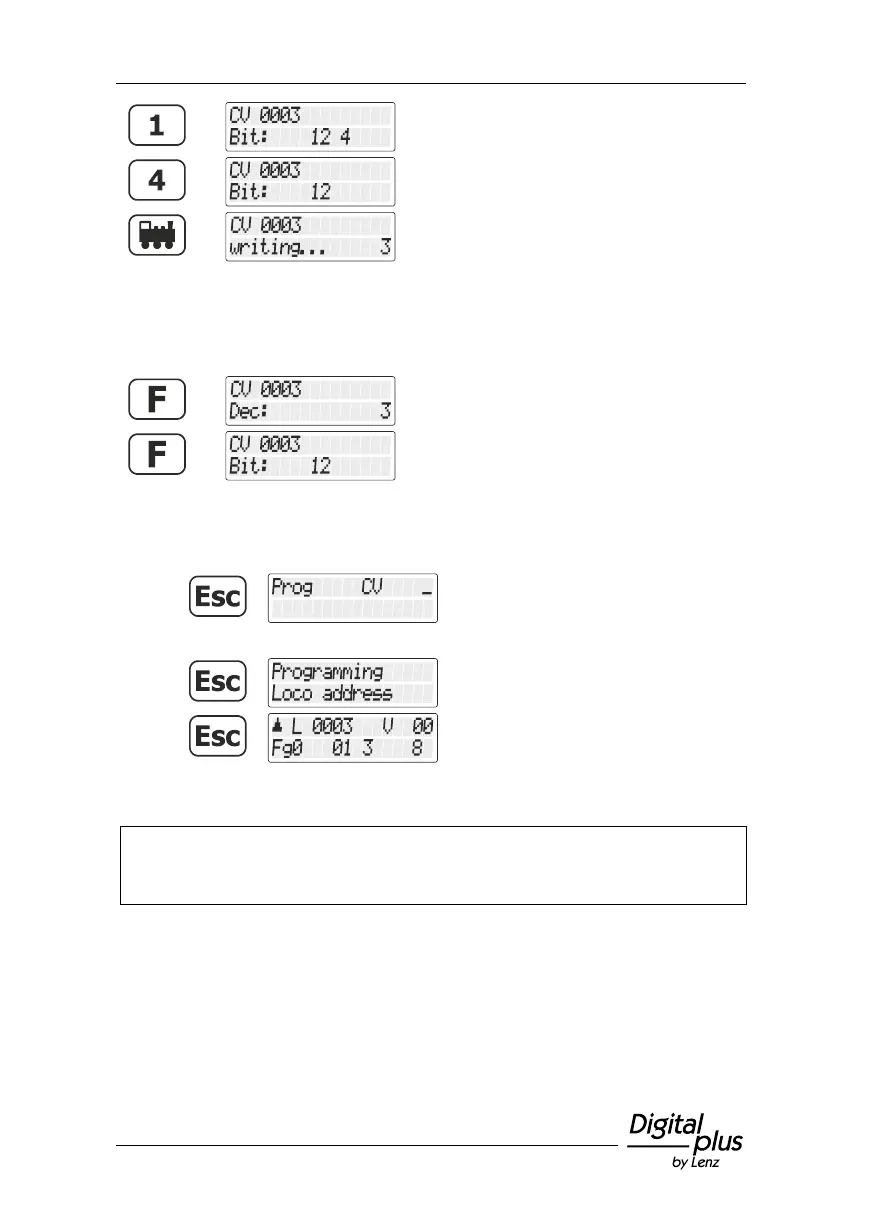
Press key '1' to set the
corresponding bit 1.
Press key '4' to delete the
corresponding bit 4.
Press the 'locomotive' key to start
programming.
You can change between the bitwise and the decimal display of the
value at any time:
Now, you have the following options:
return to “Controlling locomotive”.
Make sure you do not exceed the valid value range of the decoder when entering the
numeric value in the CV! If needed, refer to the operating manual of the decoder.
CV7 (version number) and CV8 (manufacturer identification) can only be read out, but
not entered.



 To Next Page