System setup 91
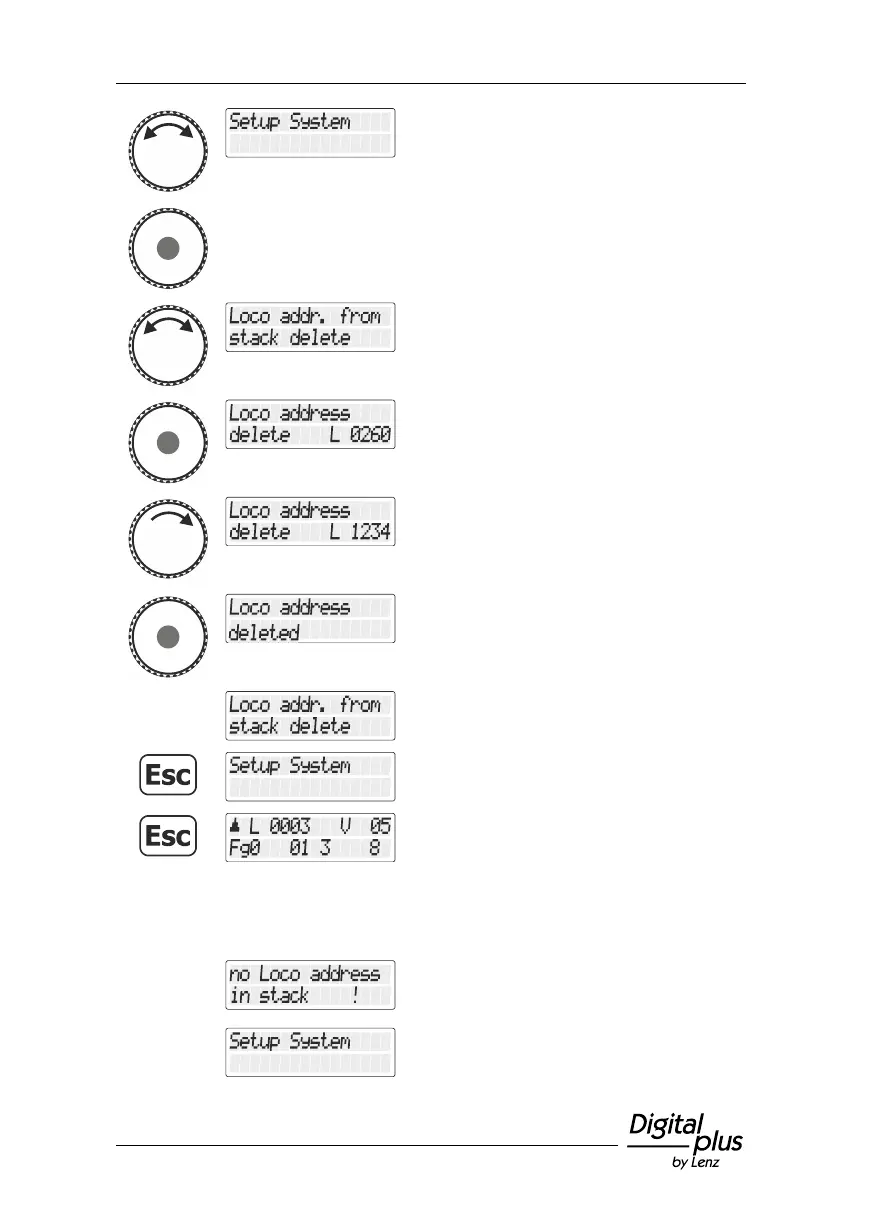
Turn the rotary knob until the option "Setup
System/System setup" is displayed.
Press the rotary knob to select this option.
Turn the rotary knob until the option
"Lokadresse aus Zentralenspeicher
löschen/Deleting locomotive address from the
command station memory" is displayed.
Press the rotary knob to select this option.
The first locomotive in the command station
memory is displayed.
Turn the rotary knob to select the locomotive
address that you want to delete …
… press the rotary knob to confirm your
selection.
The confirmation is displayed.
Press the 'Esc' key several times to return to
“Controlling locomotive”.
Possible error messages:
If no locomotive addresses are saved in the
command station memory, you will receive
this error message.
The message will disappear automatically;
you are back in the system setup.



 To Next Page