3 Remove the rear door and cover. See “Rear door and cover removal” on page 257.
4 Remove the power supply. See “Power supply removal” on page 240.
5 Remove the power supply shield. See “Power supply shield removal” on page 241.
6 Remove the duplex. See “Duplex removal” on page 242.
7 Disconnect the cable JDUPPI1 from the controller board.
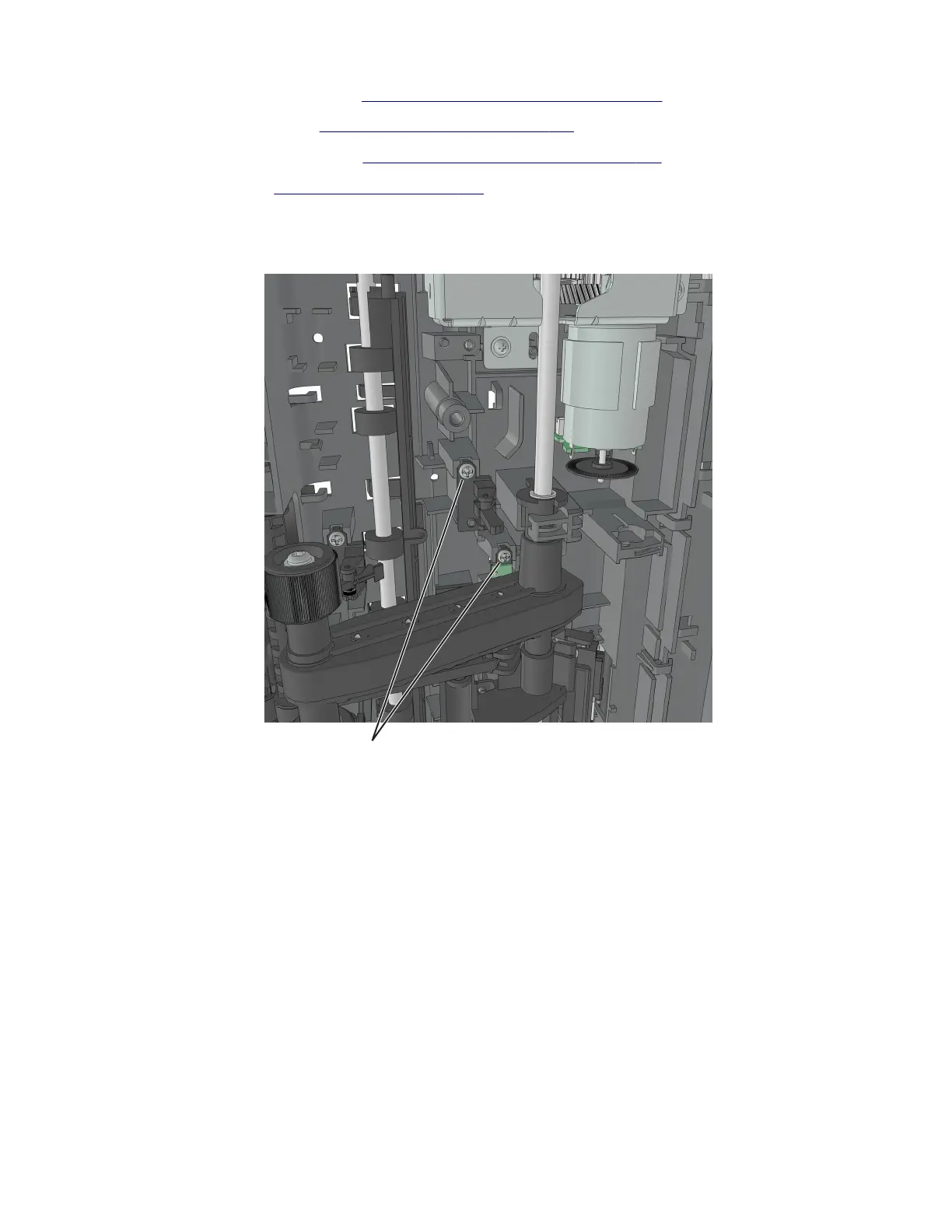
8 Remove the two screws (A), and cut the cable near the frame to detach the sensors.
A
9 Remove the other half of the cable from the printer.
4514-6xx
Repair information
244




 To Next Page