79
FUNCTION SETTING
78
FUNCTION SETTING
ENGLISH
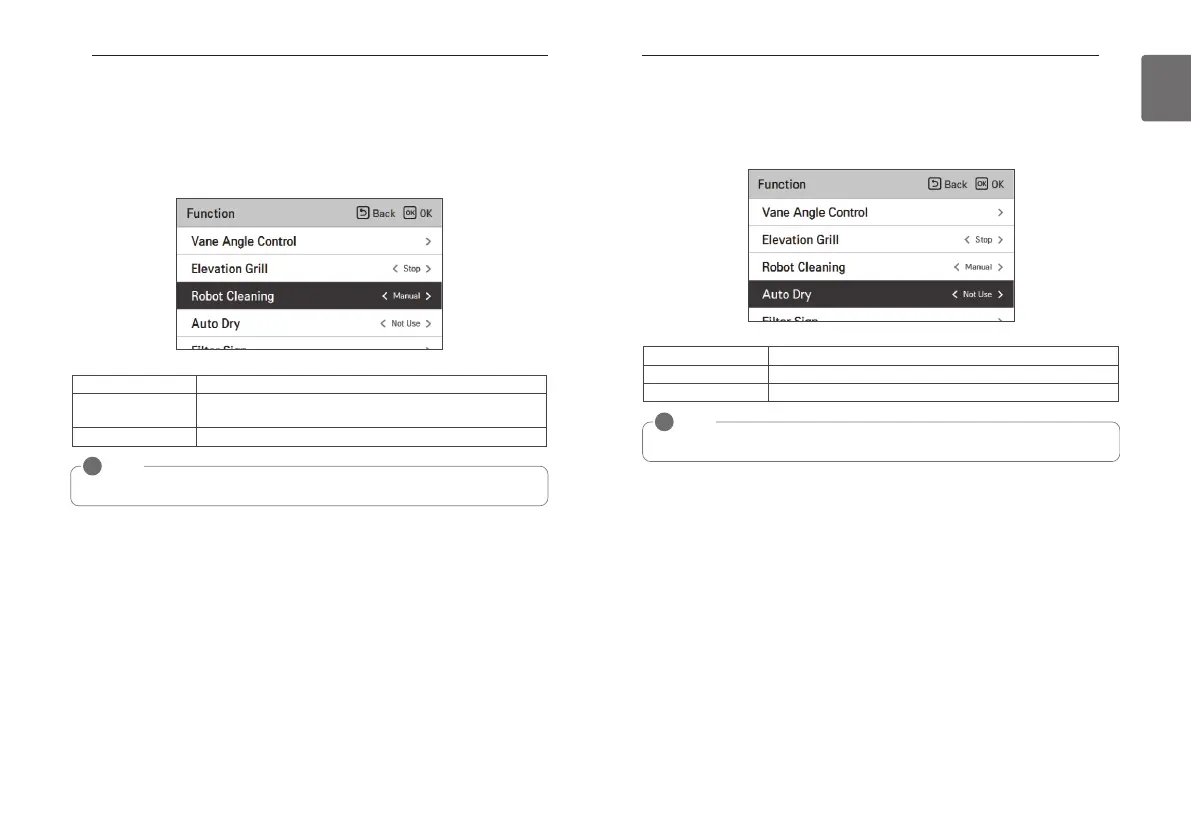
Robot cleaning setting
Robot cleaning function is the function to perform the automatic filter cleaning with the cleaner
of the product when the conditioner is used for certain period of time. It sets the manual or
automatic operation of the robot cleaning.
- It can be set 30 seconds after the operation stop.
- You can use [<, >(left/right)] button to set the following setting values as follows.
Value Description
Auto
It automatically performs the robot cleaning when the accumulated
indoor unit operation time passes 30 hours
Manual It manually performs the robot cleaning.
NOTE
!
The robot cleaning setting function may not work in some products.
Auto dry setting
Auto dry function is the function to remove mold and moisture by drying inside the indoor unit
after the cooling operation and when the product is turned off.
- You can use [<,>(left/right)] button to set the following setting values as follows.
Value Description
Use Use auto dry function
Not Use Not use auto dry function
NOTE
!
Auto dry setting function may not work in some products.



 To Next Page