165
INSTALLER SETTING
164
INSTALLER SETTING
ENGLISH
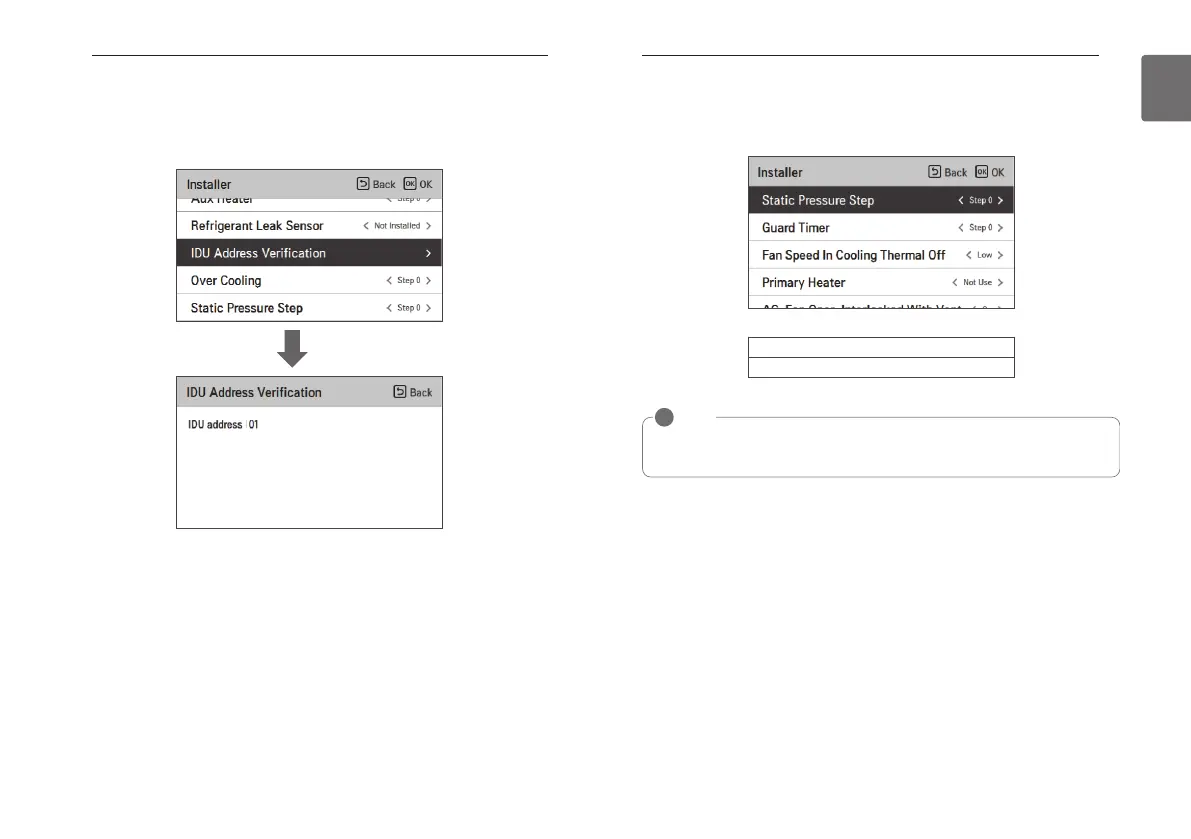
Indoor unit address verification (air conditioner / DX ventilator)
This function allows you to check the address of the indoor unit designated by the outdoor unit.
• In the installer setting list, select the indoor unit address check category, and press [OK] button
to move to the detail screen.
OK
Static pressure step setting (air conditioner)
It is the function to subdivide and set the product’s Static pressure to 11 stages.
• Change setting values using [<,>(left/right)] button.
NOTE
!
If Static pressure step setting is used, the Static pressure setting is not used.
For the Static pressure step value for each stage, refer to the indoor unit product manual
Value
Step 0 ~ Step 11



 To Next Page