191
INSTALLER SETTING
ENGLISH
190
INSTALLER SETTING
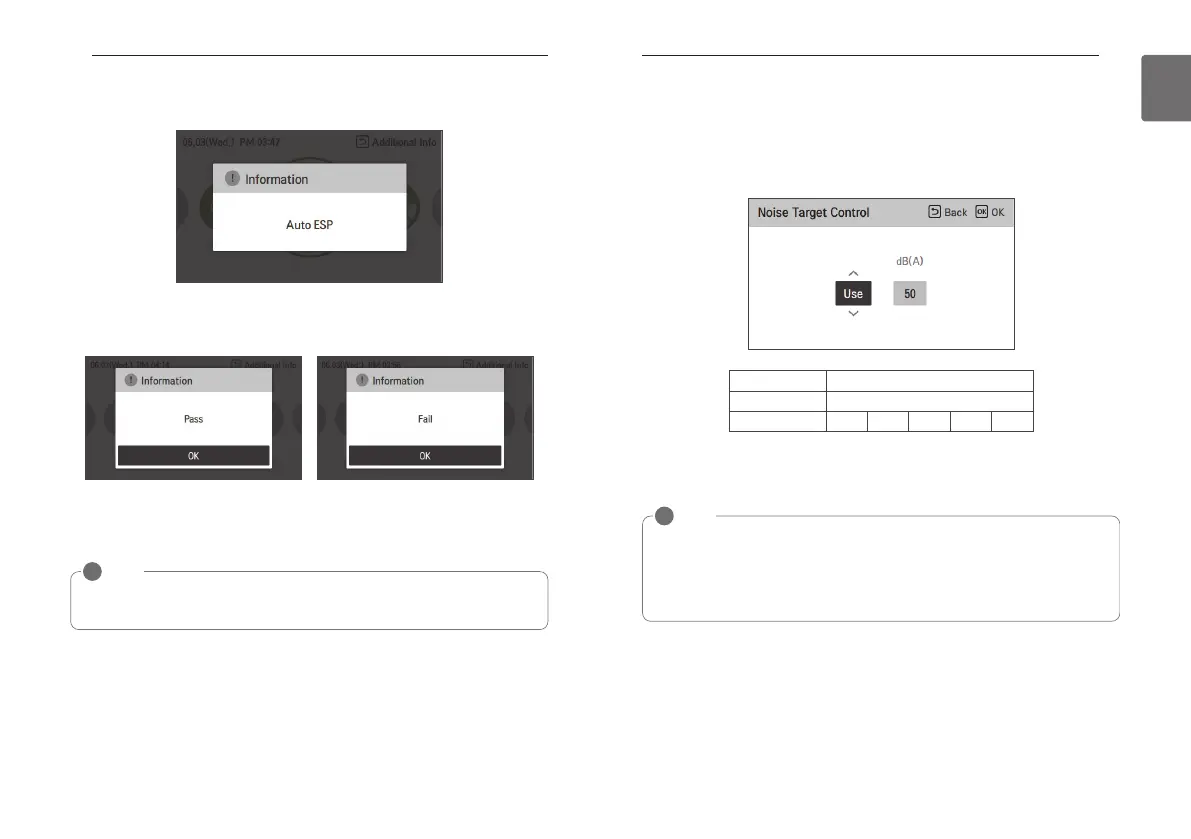
While setting, a pop-up is displayed. This means that Auto ESP is being set.
(It takes approximately 3 to 8 minutes.)
Product operation is terminated once the rotation speed setting is complete.
You can check the results as Pass or Fail.
If it fails, you cannot use the Auto ESP function.
Instead of Auto ESP, the conventional ESP setting method can be used.
NOTE
!
If Auto ESP is incorrectly set, the air conditioner may malfunction.
This function must be set by an installation specialist with an installation license.
Noise Target Control
The Noise Target Control function is a function that limits the noise caused by the outdoor unit
running.
Select the Noise Target Control item from the installer setting list and press the [OK] button to
move to the lower settings screen.
• Set whether to use the Noise Target Control function and the noise limit.
- After setting, press the [OK] button to save the set value.
- If you press the [Back] button without pressing the [OK] button, the set value is not saved and it
moves to the list screen.
Value Noise limit (dB)
Not use
-
Use
50 55 60 65 70
NOTE
!
• The Noise Target Control function limits the product's capabilities to prioritize noise while
running.
• Pay special attention to the settings as a weakening of cooling or heating may occur.
• The range of noise limits may vary depending on the version of the remote control and the
connected product.



 To Next Page