105
FUNCTION SETTING
ENGLISH
104
FUNCTION SETTING
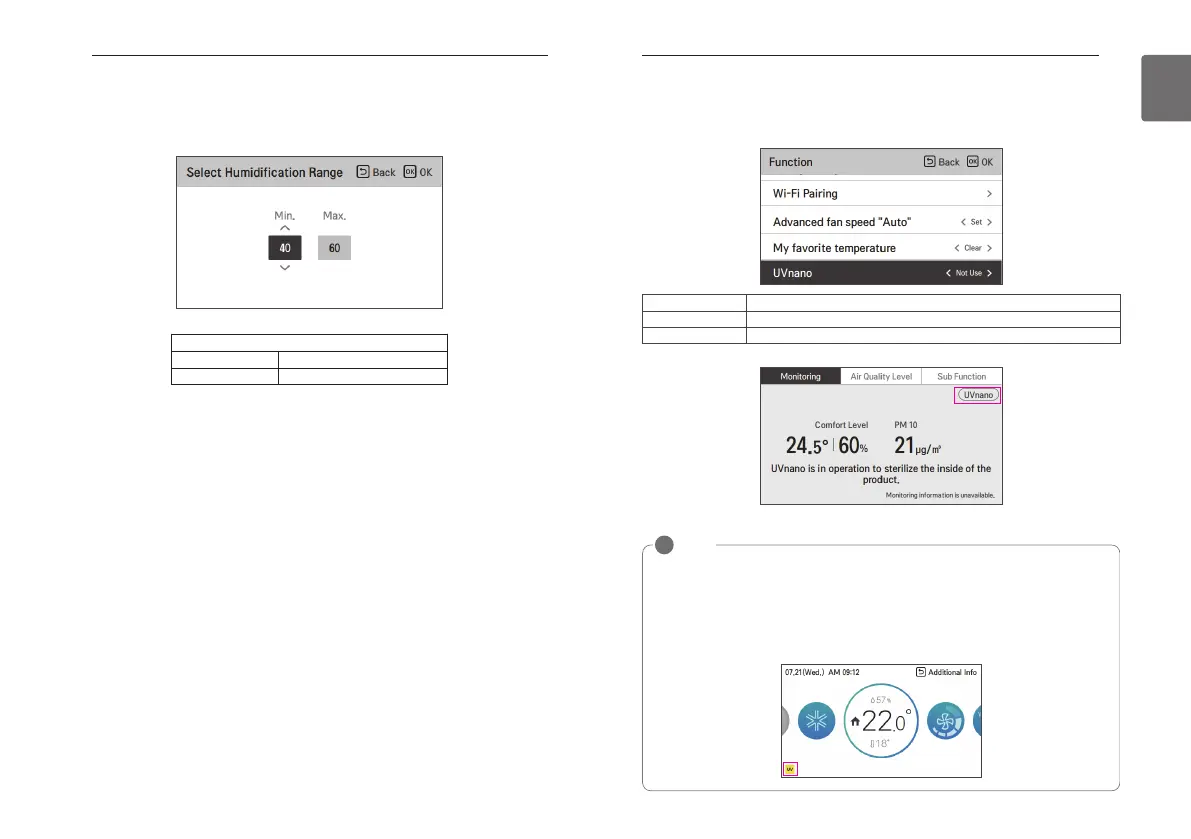
Select Humidification Range (DX ventilator)
It is the function to set the desired humidification range of DX-Type Ventilation products.
It can be set in increments of 5%.
Setting value
Min. 20 % ~ 70 %
Max. 50 % ~ 80 %
Value Description
Use
Use UVnano function
Not Use
Not Use UVnano Function
NOTE
!
• The configuration of the screen displayed may vary depending on the version of the remote
control.
• UVnano is a compound word of “UV” and “nanometer”.
• The UVnano function may not work on some products.
• If repair is required while using the UVnano function, the UV icon is displayed at the bottom
of the Home screen. If the UV alarm is displayed, contact LG Electronics Service Center for
repair.
UVnano
The UVnano function uses UV LEDs to sterilize fans or filters at regular intervals when driving indoors.
- You can use [<,>(left/right)] button to set the following setting values as follows.
<Monitoring screen during UVnano Function "Use”>



 To Next Page