127
USER SETTING
126
USER SETTING
ENGLISH
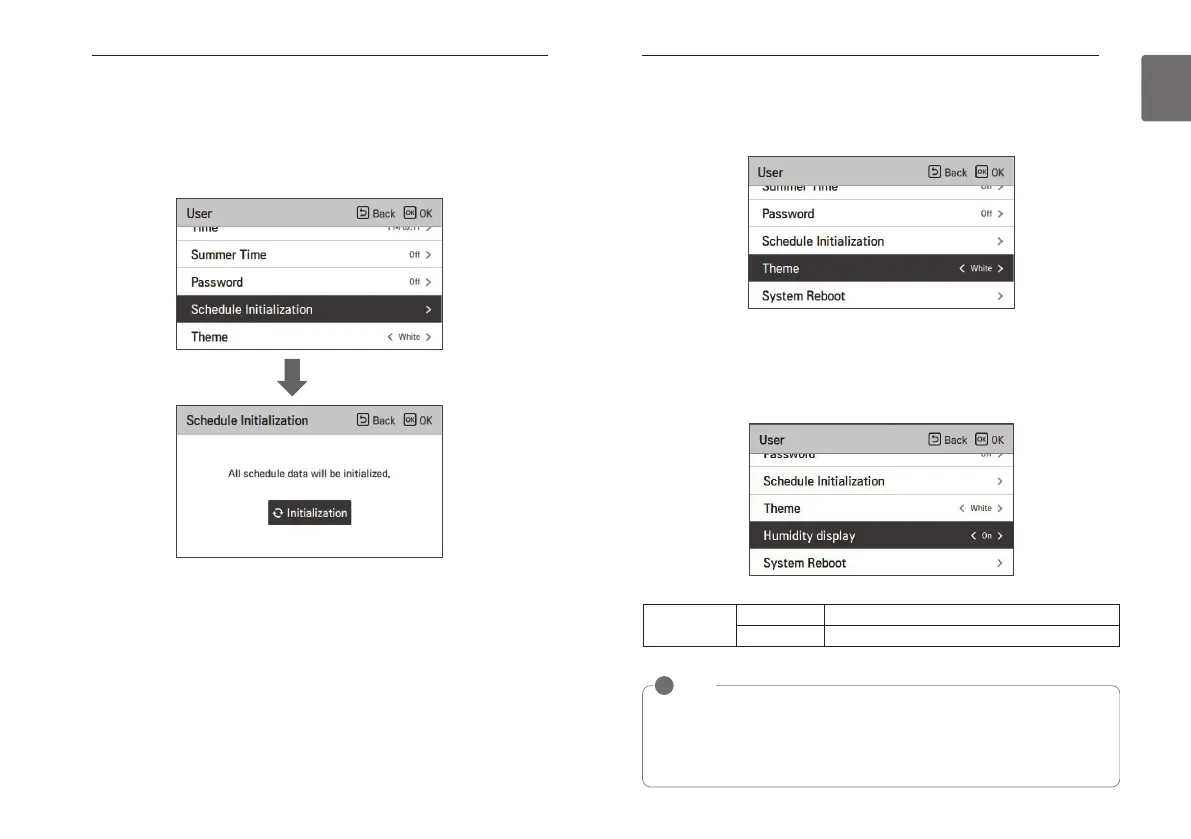
Schedule initialization
Initialize all timer settings in the remote controller.
• In the user setting list, select the schedule initialization setting category, and press [OK] button
to move to the detail screen.
- Press the check button to initialize the sleep/simple timer, on/off timer, schedule and
exception date in the remote controller.
OK
Theme setting
Set the theme of the remote controller screen.
• Select either white or black using [<,>(left/right)] button.
Humidity display
It is the function to decide whether to display humidity on the main screen and additional
information screen.
You can use [<, > (left/right)] button to set the setting values (On or Off).
Setting value
ON Display humidity.
OFF Do not display humidity.
NOTE
!
If humidity display is `ON`, the displayed humidity is different according to the humidity
detection location setting (installer setting).
• Remote controller: remote controller humidity display.
• Indoor unit: If it receives indoor unit humidity, it displays the indoor unit humidity, and if it
does not receive indoor unit humidity, it does not display humidity.



 To Next Page