129
USER SETTING
128
USER SETTING
ENGLISH
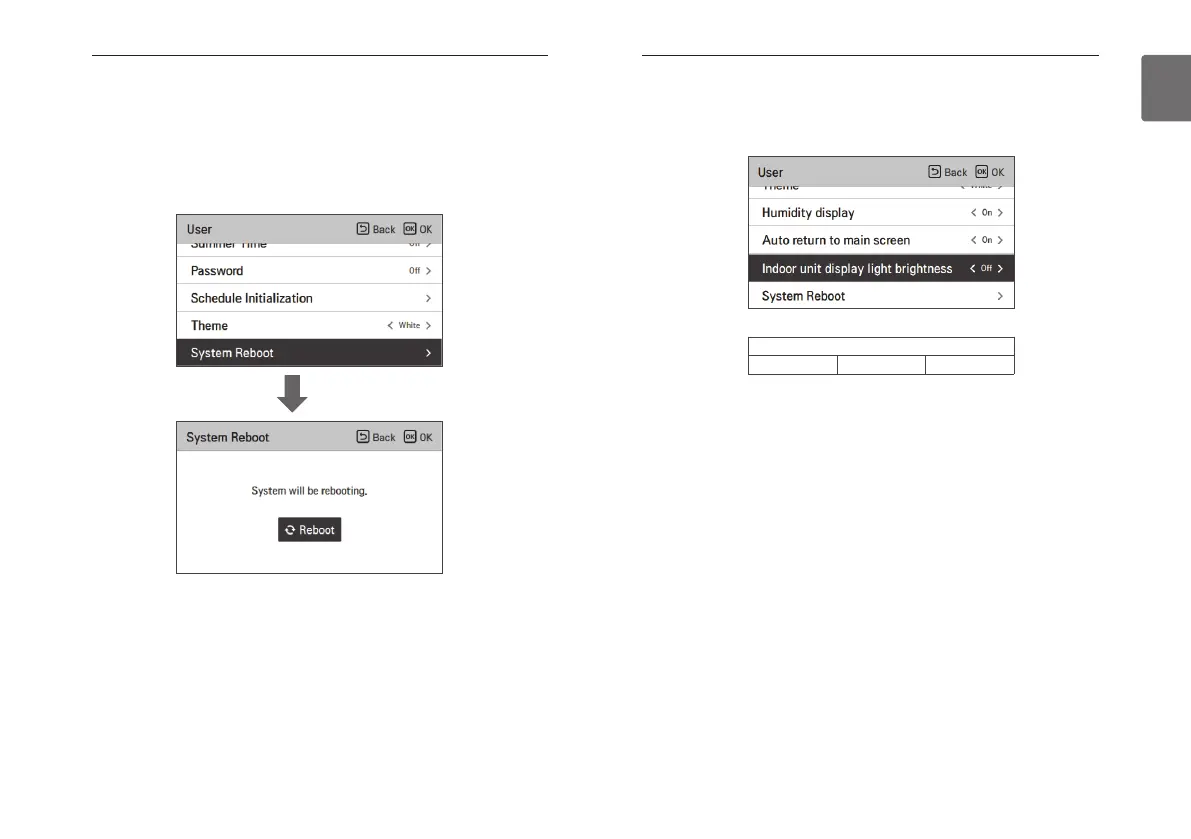
System restart
Restart the remote controller.
• In the user setting list, select the system restart setting category, and press [OK] button to
move to the detail screen.
- In the detail screen, when you press [OK] button, a popup message is displayed, press the
check button, to restart the system.
- For forced reset, press down [On/Off + Back] button for 5 seconds to restart the system.
OK
Indoor unit display light brightness setting
This function adjusts the brightness of the indoor unit display light.
• You can set the following setting values using [<,>(left/right)] button.
※ "Auto" setting is only available in the indoor units that is equipped with the human detection
sensor.
※ When set to Auto, the indoor unit display light brightness will automatically adjust according to
the illuminance detected by the human detection sensor.
※ "Off" setting is only available in the indoor units that have brightness control function.
Value
On Off Auto



 To Next Page