LiveU Live Video Uplink System User Guide
122
Changing the LU60/LU70 Battery
If the LU60/LU70 is connected to external power, you can change its battery
even while it is transmitting without disturbing the flow.
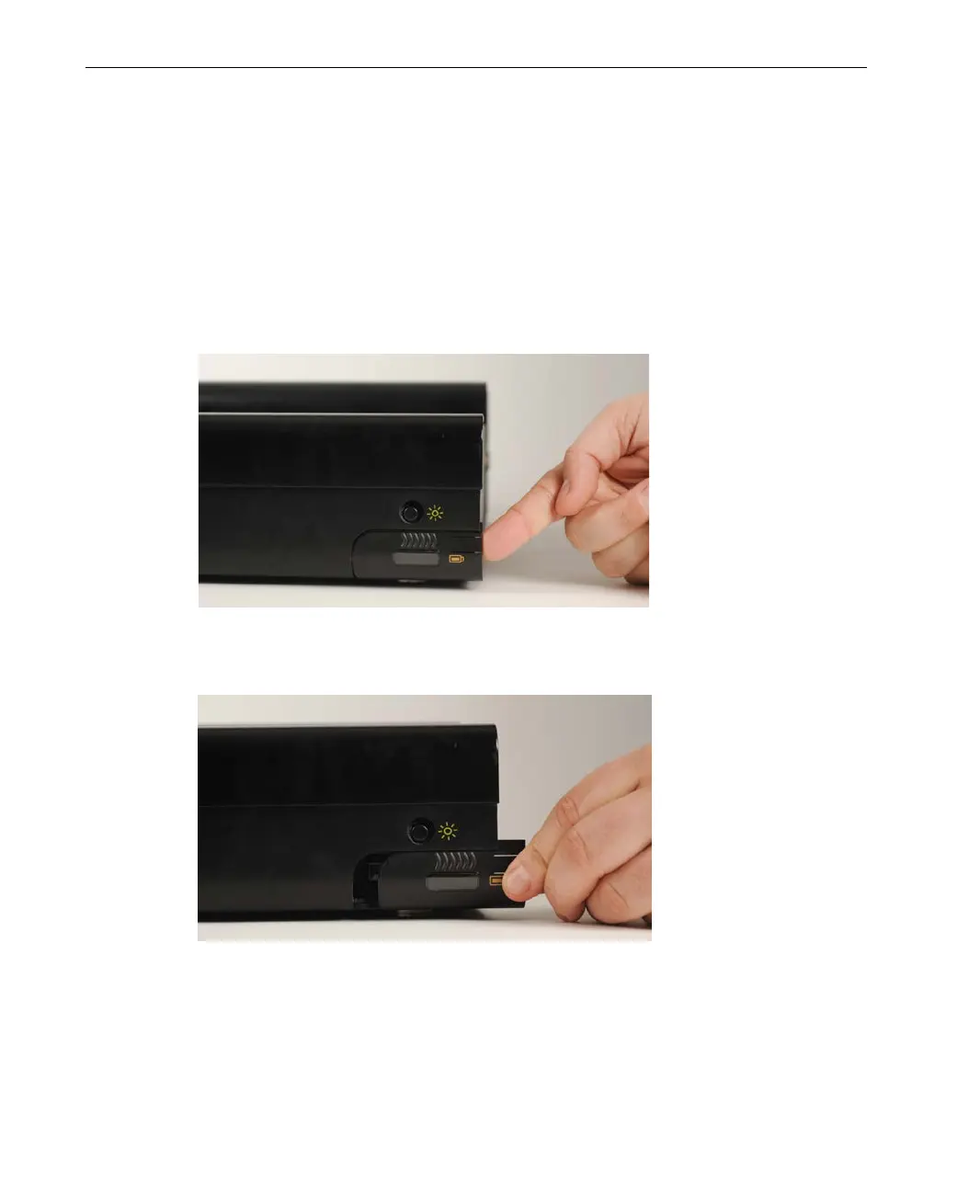
► To change the battery:
1 To open the battery compartment cover, lift the thin black tab, as shown
below:
Figure 104: Opening the Battery Compartment – Lifting the Tab
2 Then pull out the battery cover, as shown below:
Figure 105: Opening the Battery Compartment – Pulling Open the Cover



 To Next Page