Configuration and Settings
87
3 Tap the Xtender WiFi interface in the Interfaces window, as shown below:
Figure 66: Xtender WiFi Link
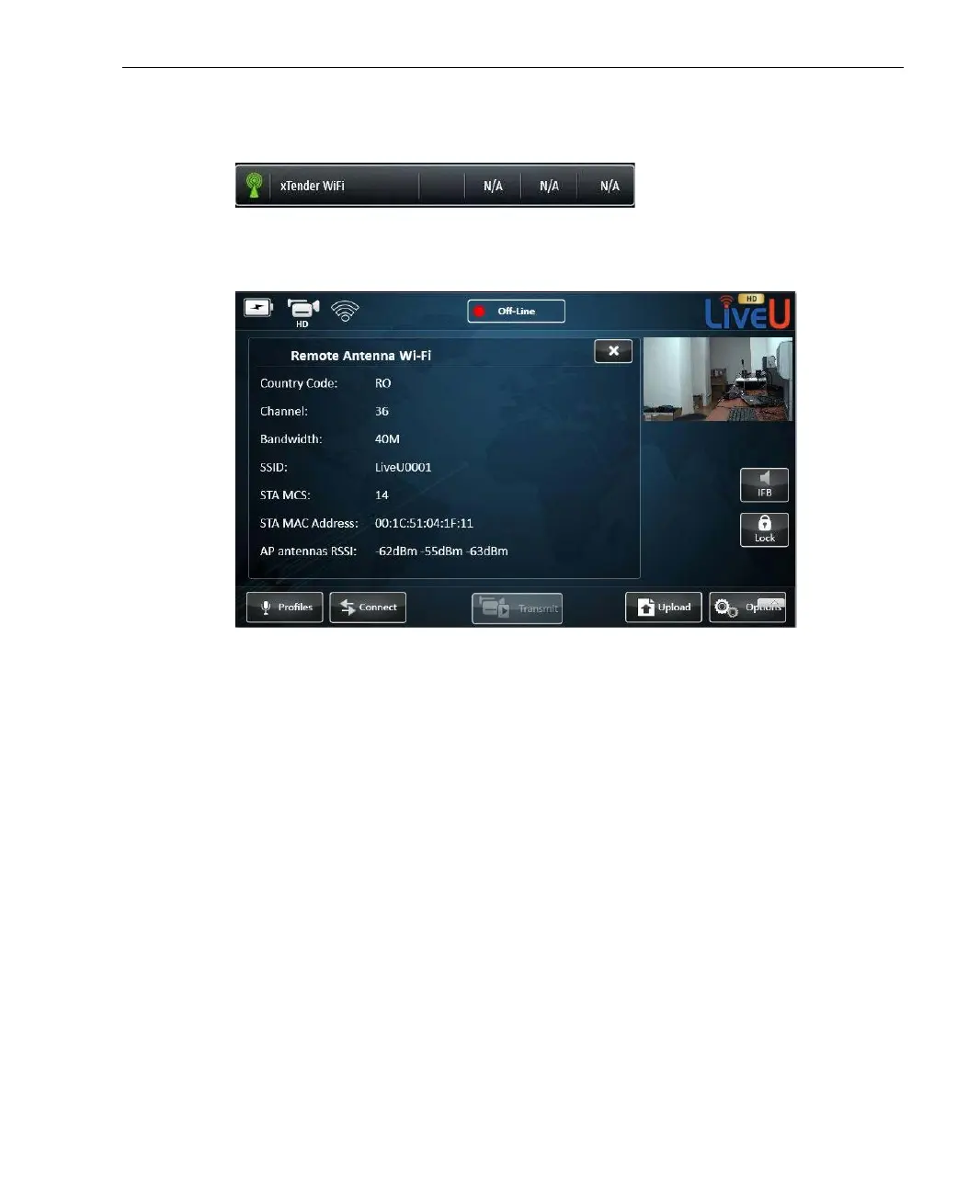
The following window is displayed:
Figure 67: Remote Antenna Wi-Fi ‒ Xtender
The following information is displayed in this window:
Country Code: This value is set in production according to the country
or continent to which the unit was delivered.
Channel: The 802.11n frequency channel currently in use.
Bandwidth: The used bandwidth, which is the maximum possible,
according to the specified Country Code.
SSID: The Station SSID number, which is a unique number that is
used to match between the two Wi-Fi link components (Client and
Access Point).
STA MCS: The Station Modulation and Coding Scheme according to the
802.11n standard.
STA MAC Address: The Wi-Fi link’s MAC address.
AP antenna RSSI: The RX power values of the Wi-Fi link for its three
antennas.



 To Next Page