LiveU Live Video Uplink System User Guide
82
• Non Secured Only Button: Secured Wi-Fi networks require that you
enter a Network Key. These networks appear in the list with an
icon.
Tap Non Secured Only button to display only non-secured Wi-Fi
networks, meaning networks that do not require a Network Key.
• Refresh Button: The LU automatically refreshes the list of detected Wi-Fi
networks periodically. Tap this button to refresh this list immediately.
• Deactivate Button: Tap this button to deactivate this Wi-Fi network so
that it is not used during transmission.
• Access Point Button: Tap this button to define the LU as an Access Point.
This LU can then provide an Internet connection to wireless devices, such
as a laptop. You may refer to the Access Point section on page 83 for a
description of how to configure the cellular modem through which the LU
connects to the Internet.
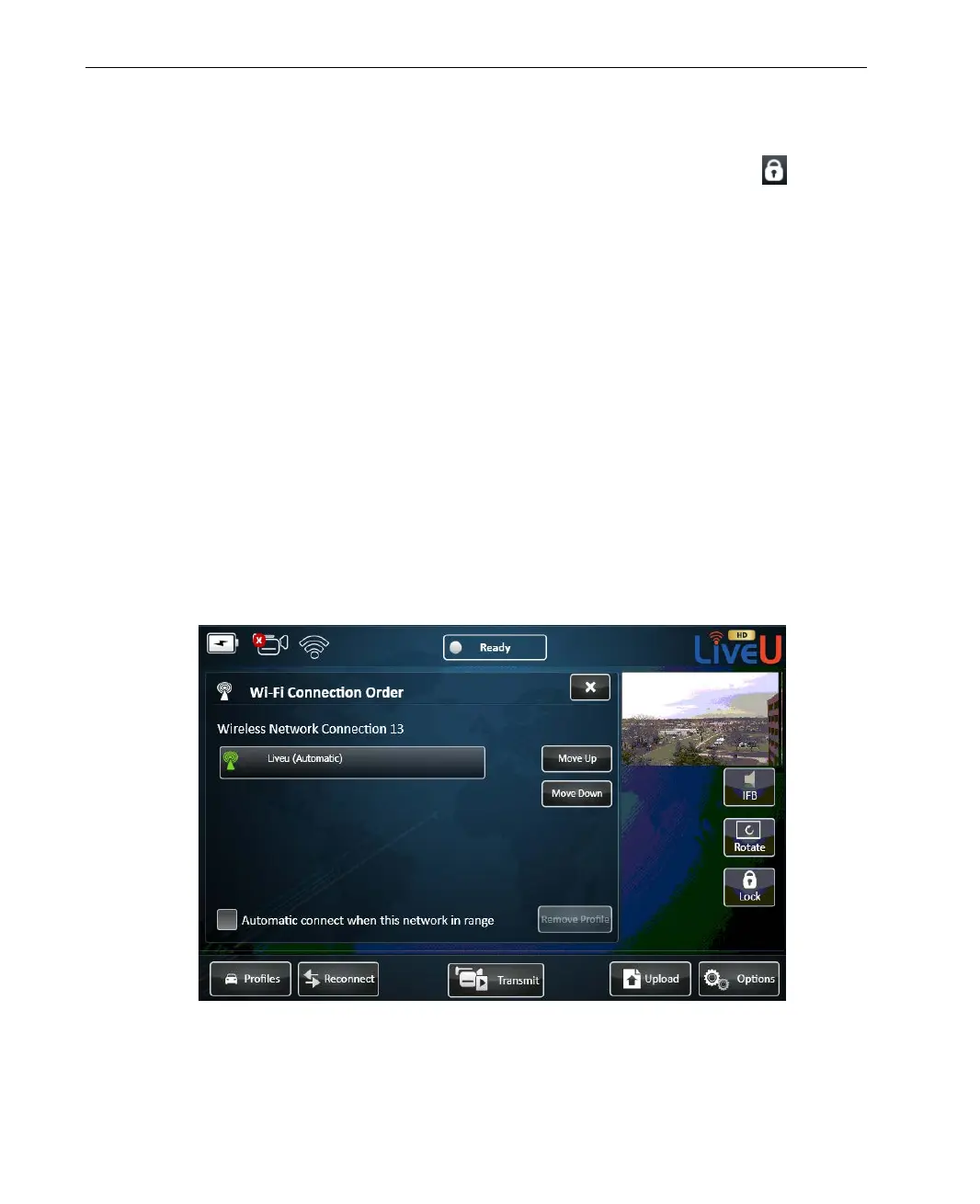
• Connection Order Button: Tap this button to define the order in which
the LU attempts to connect to Wi-Fi networks. The LU only connects to first
Wi-Fi network to which it succeeds to connect. The following window is
displayed:
Figure 61: Wi-Fi Connection Order



 To Next Page