Configuration and Settings
83
Select a Wi-Fi network and tap the Move Up button or the Move Down
button to arrange their order. The LU attempts to connect in order from
top to bottom. Once it succeeds to connect to one network, it stops trying.
You can give one of the networks priority whenever it is in the vicinity, by
tapping it and then checking the Automatic connect when this network
in range checkbox. This means that the LU connects to this network when
it is detected even if it is not higher in the list than other detected
networks.
Access Point
The LU can serve as an access point. This means that it can enable a wireless
device(s), such as a laptop, to connect wirelessly to the Internet through its
cellular modems. The wireless device connects to the LU via Wi-Fi and the LU
provides Internet access using its cellular connection.
This functionality is only available while the LU is not transmitting video.
► To define the LU as an Access Point:
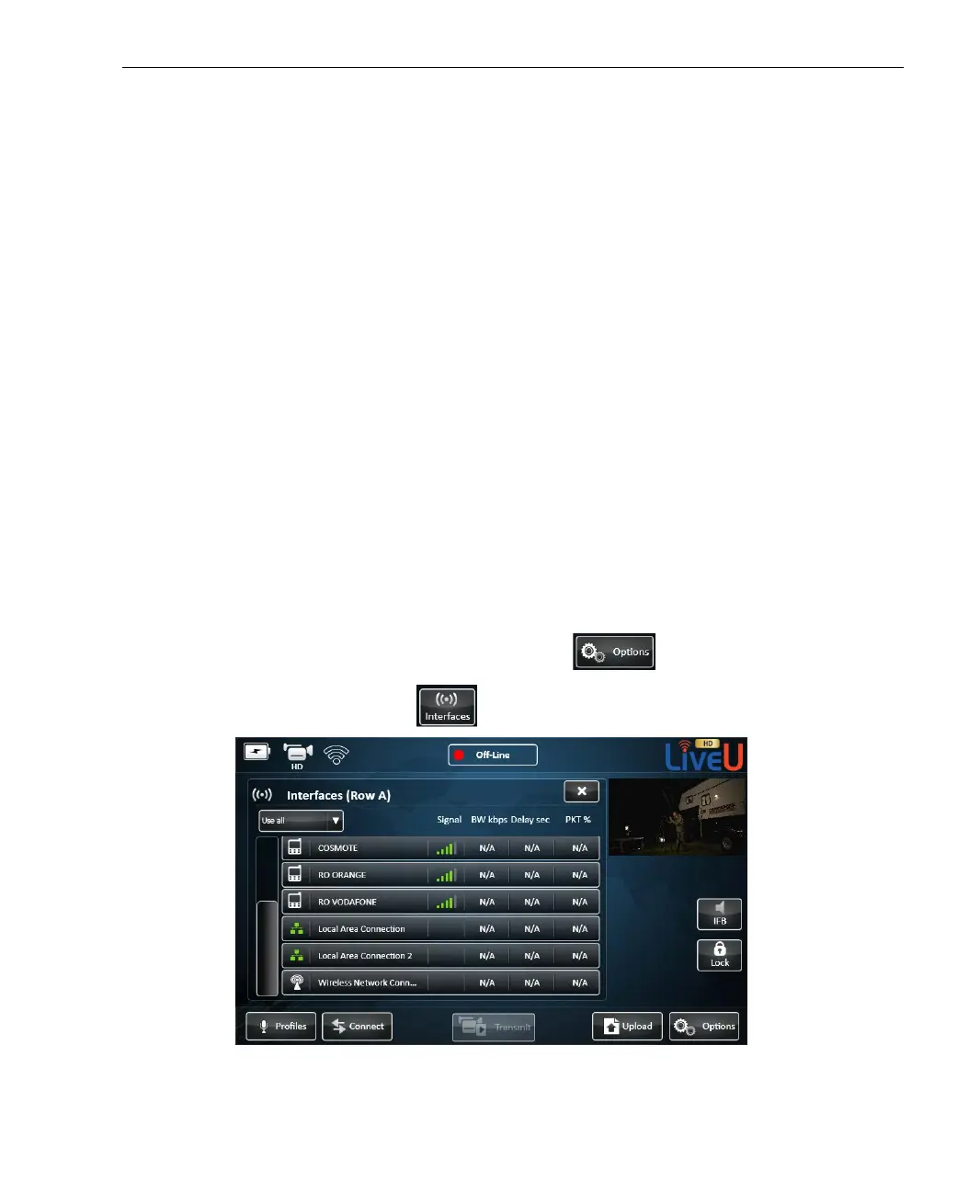
1 In the main window, tap the Options button.
2 Tap the Interfaces
button. The following window is displayed:
Figure 62: Defining an Access Point – 1



 To Next Page