LiveU Live Video Uplink System User Guide
56
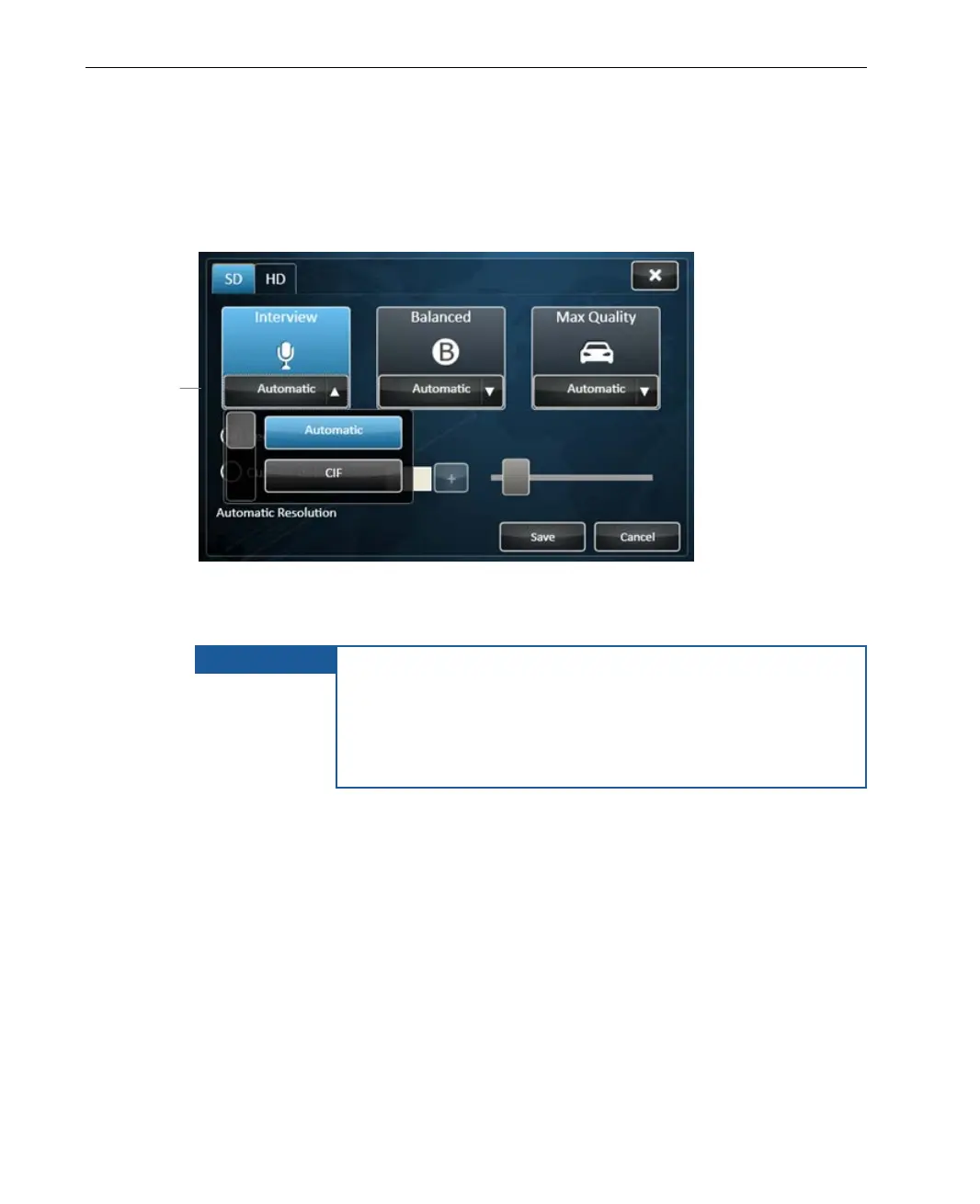
► To change the resolution of a Profile:
• Simply tap one of the Resolution buttons on the bottom of a Profile
button, to display a selection of resolutions suited to that profile, as shown
below:
Figure 35: Changing a Profile’s Resolution
Then, tap the desired resolution in the dropdown menu.
IMPORTANT
There are limitations to when changes can be made. You
cannot select whether to enable/disable modems on the
fly. Profiles, Resolutions or Custom delay cannot be
changed during broadcast. In order to change the bitrate,
it is necessary to stop the transmission before making the
change.
Resolution Descriptions
The same resolutions are provided for each of the three Profiles, as follows:
LU60/LU70 devices that support HD provide either four High Definition (HD) or
four Standard Definition (SD) Resolutions for each of the three Profiles
according to the camera that is connected.
Tap this area of a
Profile button
and select a
resolution from
the dropdown
menu



 To Next Page