LiveU Live Video Uplink System User Guide
64
► To store recorded files:
1 If the file to be stored is on a USB Disk on Key, then insert it into the LU
unit.
2 Tap the Upload
button and then tap the Store & Forward
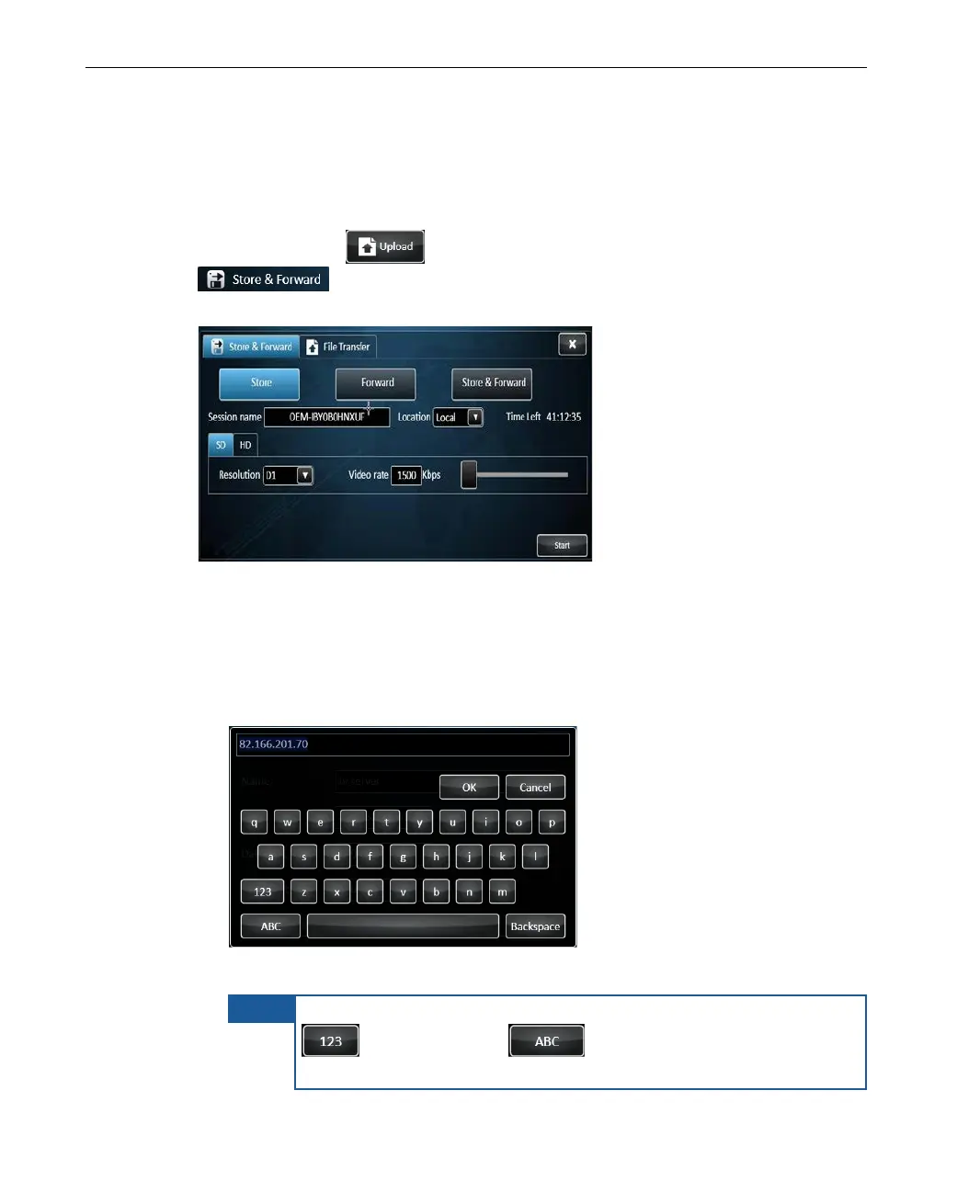
tab to display the following window, and tap the Store
button to display Store related fields.
Figure 39: Store Session Configuration
3 Fill in the fields as follows:
Session Name: The name assigned to the recording file. Tap the field
to display a keyboard, as shown below:
Figure 40: Virtual Keyboard
To switch the keyboard to enable the entry of numbers, tap the
button. Tap the button to enable the entry of
characters.



 To Next Page