42 CHAPTER 4: OPERATION
MOVE S2
To validate a parameter or a value, hold the key corresponding to [ENTER] until the icon
disappears.
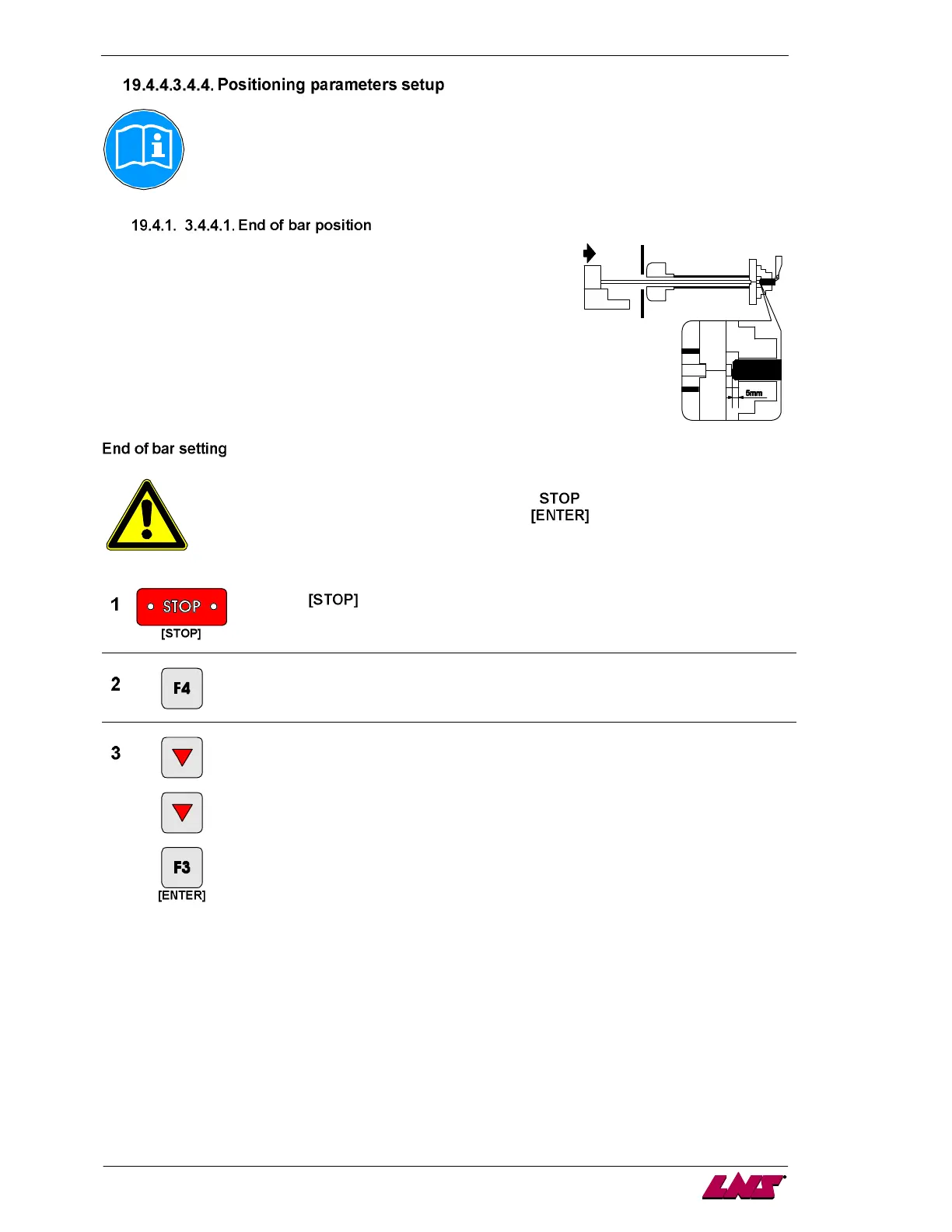
The end of bar position determines the moment when the bar feed
enters the loading cycle.
Usually, the end of bar position is adjusted as closely as possible
behind the clamping system of the lathe (approximately 5 mm or a 1/4"
behind the chuck jaws or collet pads).
This will provide minimum bar stock remnant.
Regardless of the length of the bars, or parts, the end of bar position is
always the same.
Before handling the bar feed, stop the lathe at the end of part cycle.
To edit these parameters, the bar feeder must be in
mode.
To validate a new parameter or a new value, keep
pressed until the icon
disappears.
Press the key.
Enter the main menu.
Enter the menu "positions/torques".














 To Next Page