8 CHAPITRE 6: ANNEXES
MOVE S2
The files saved in the Parts Library can be accessed for backup purpose using an FTP Client software.
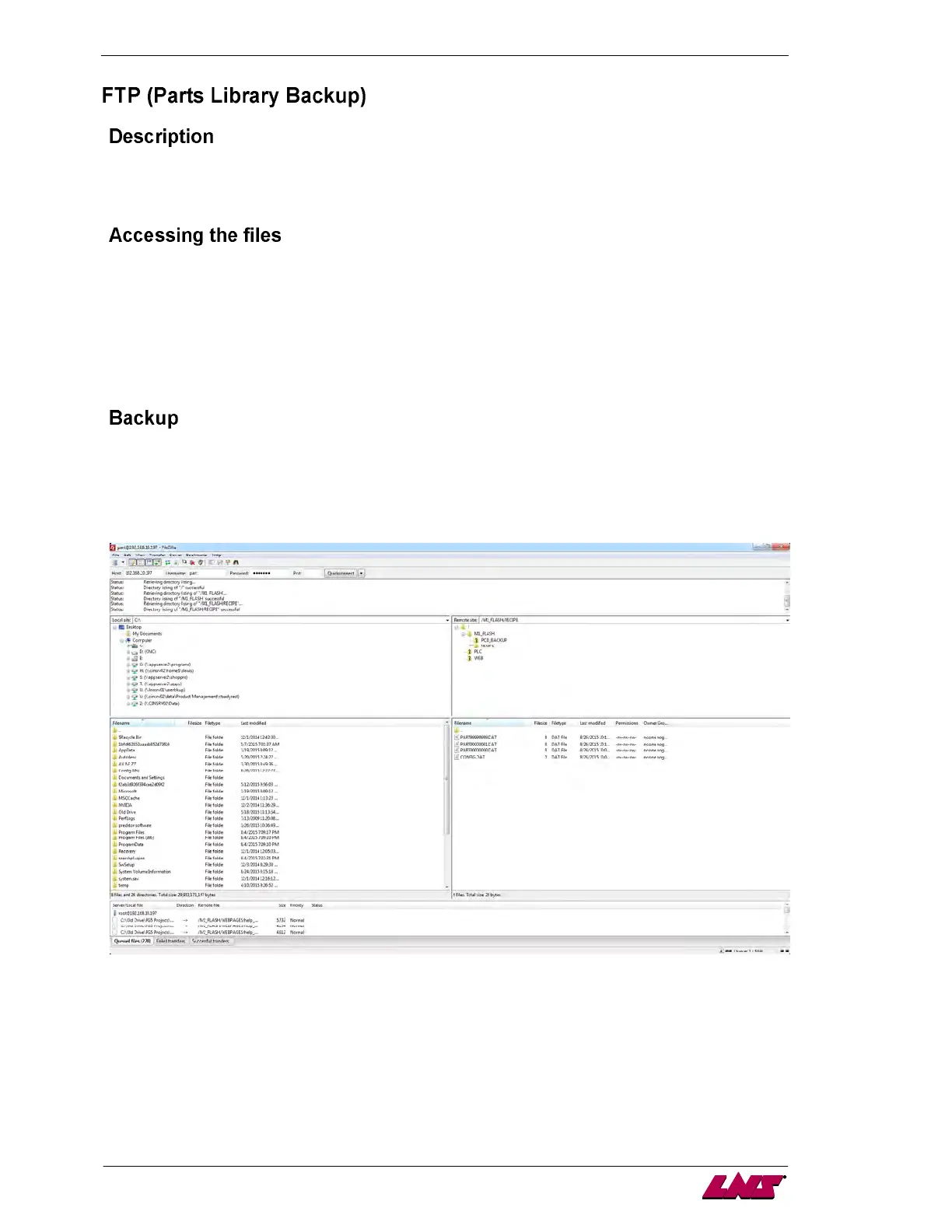
This example uses FileZilla to access the saved files.
It is necessary to know the IP address of the PLC in order to access the files located on the memory card
in slot M1 of the PLC. (Example: 192.168.10.197). Use the following information to setup FileZilla.
Host: IP Address (Example: 192.168.10.197)
Username: part
Password: library
Port: N/A
There are two files which must remain on the card in order for the Parts Library to function:
1. PART00000000.DAT
2. CONFIG.DAT
Neither of these files is usable by the operator but must be located on the card.
To create a backup copy, simply select the desired file or files and drag them to the directory which they
will be stored.
The files are stored at the following location on the M1 memory card: /M1_FLASH/RECIPE














 To Next Page