215585 42 Revision A
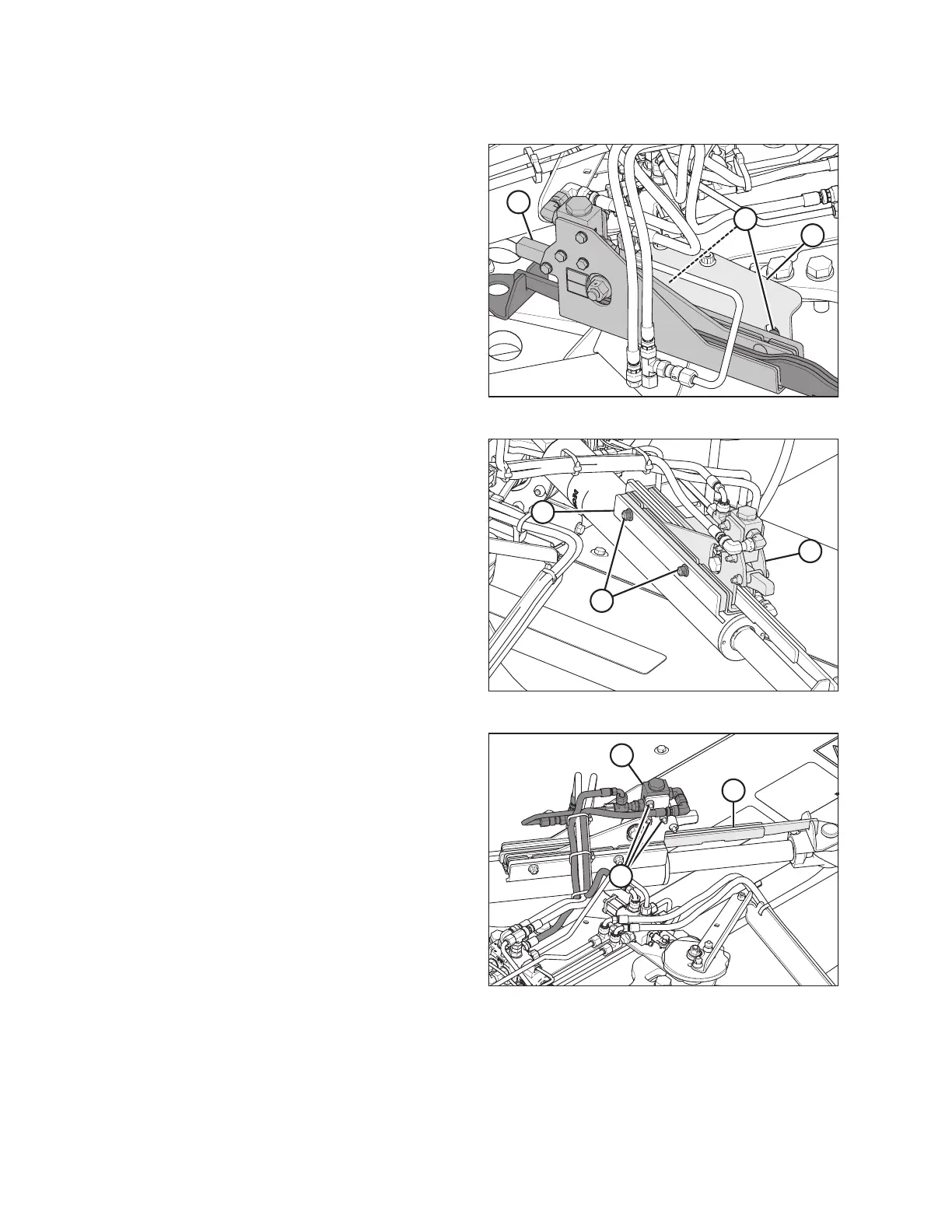
Installing Transport Alignment Control
$
%
&
Figure 3.83: Alignment Controls – Front Right View
1. Remove cam assembly (A) from shipping support (B).
2. Remove nuts (C) from the cam assembly.
$
&
%
Figure 3.84: Alignment Control – Rear Right View
3. Secure cam assembly (A) onto hitch swing cylinder plate (B)
with bolts and nuts (C). Torque nuts (C) to 58 Nm (43 lbf·ft).
NOTE:
When installing cam assembly (A), check for hose twisting.
If required, loosen hose fitting to allow hose to untwist.
Torque fitting when complete.
$
%
&
Figure 3.85: Alignment Control – Rear Right View
4. Check travel of cam arm (A) by sliding it in and out of cam
assembly (B).
NOTE:
If the cam arm does NOT slide easily, loosen valve
mounting bolts (C) and position valve (B) at the top of the
mounting holes. Retighten valve mounting bolts (C).
ASSEMBLING THE ROTARY DISC PULL-TYPE – WITH OR WITHOUT THE DEALER-INSTALLED TRANSPORT





 To Next Page