3
HOW TO PROGRAM THE E4N COLUMN
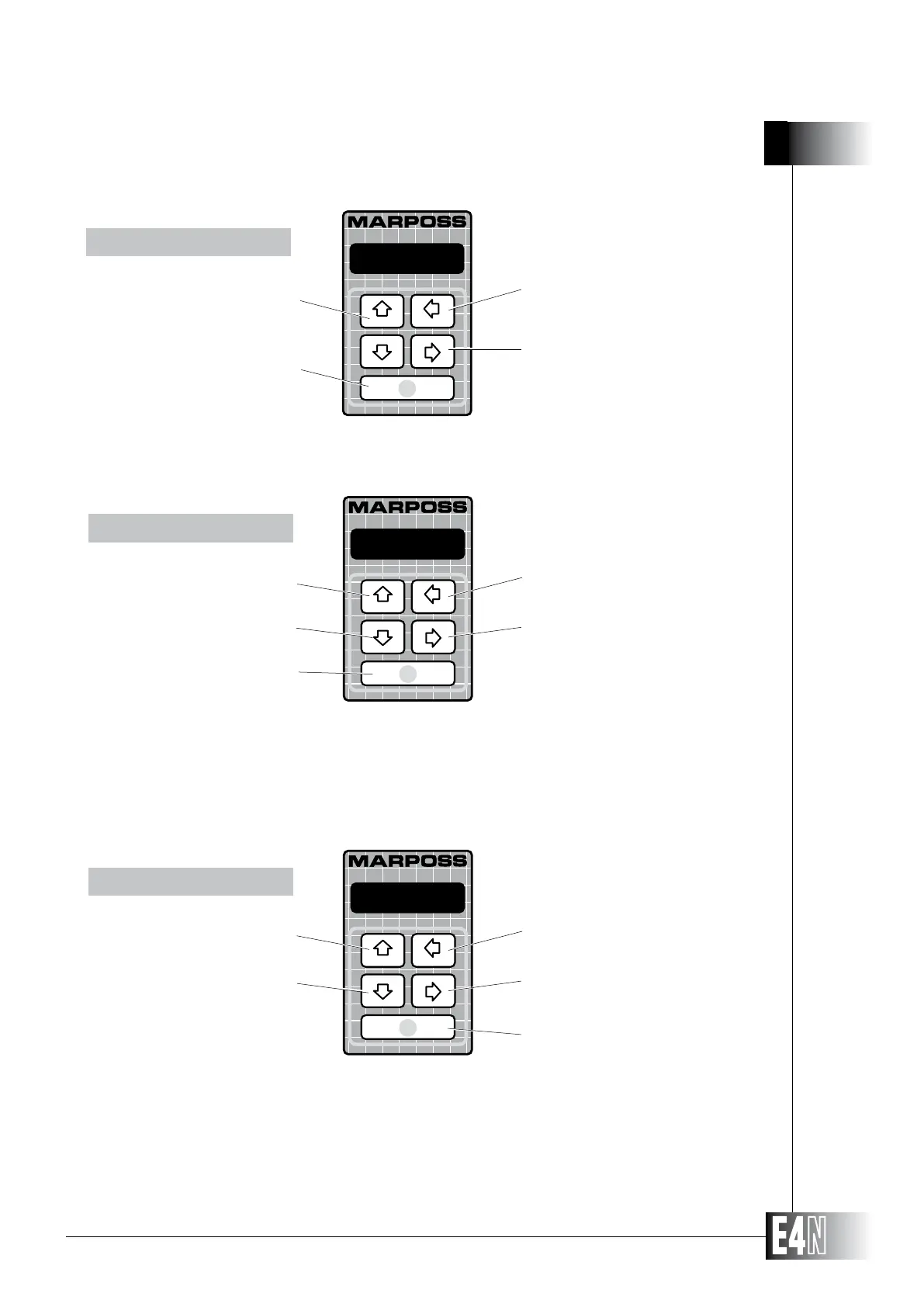
Select the digit at the RIGHT of the
flashing digit.
Select the digit at the LEFT of the
flashing digit.
Confirm the data item and go to the
NEXT VARIABLE in the same menu
NUMERIC DATA
DECREASE the figure
of the flashing digit
Confirm the data item and go to the
NEXT VARIABLE in the same menu
Select the
PREVIOUS item
Select the
NEXT item
DEFAULT DATA
Exit and confirm the initial data item
INCREASE the figure
of the flashing digit
Note: When the selected digit is the
first on the left of the display, the
UP and DOWN arrow keys also
allow to RESET the numerical
data (i.e. not to program it).
Select the character to the LEFT of
the flashing character
Select the character to the RIGHT of
the flashing character
Select the NEXT character
Select the PREVIOUS character
Confirm the data item and go to the
NEXT VARIABLE in the same menu
STRINGS
+0.0000
metric
MARPOSS



 To Next Page