3
3.3
3.2
HOW TO PROGRAM THE E4N COLUMN
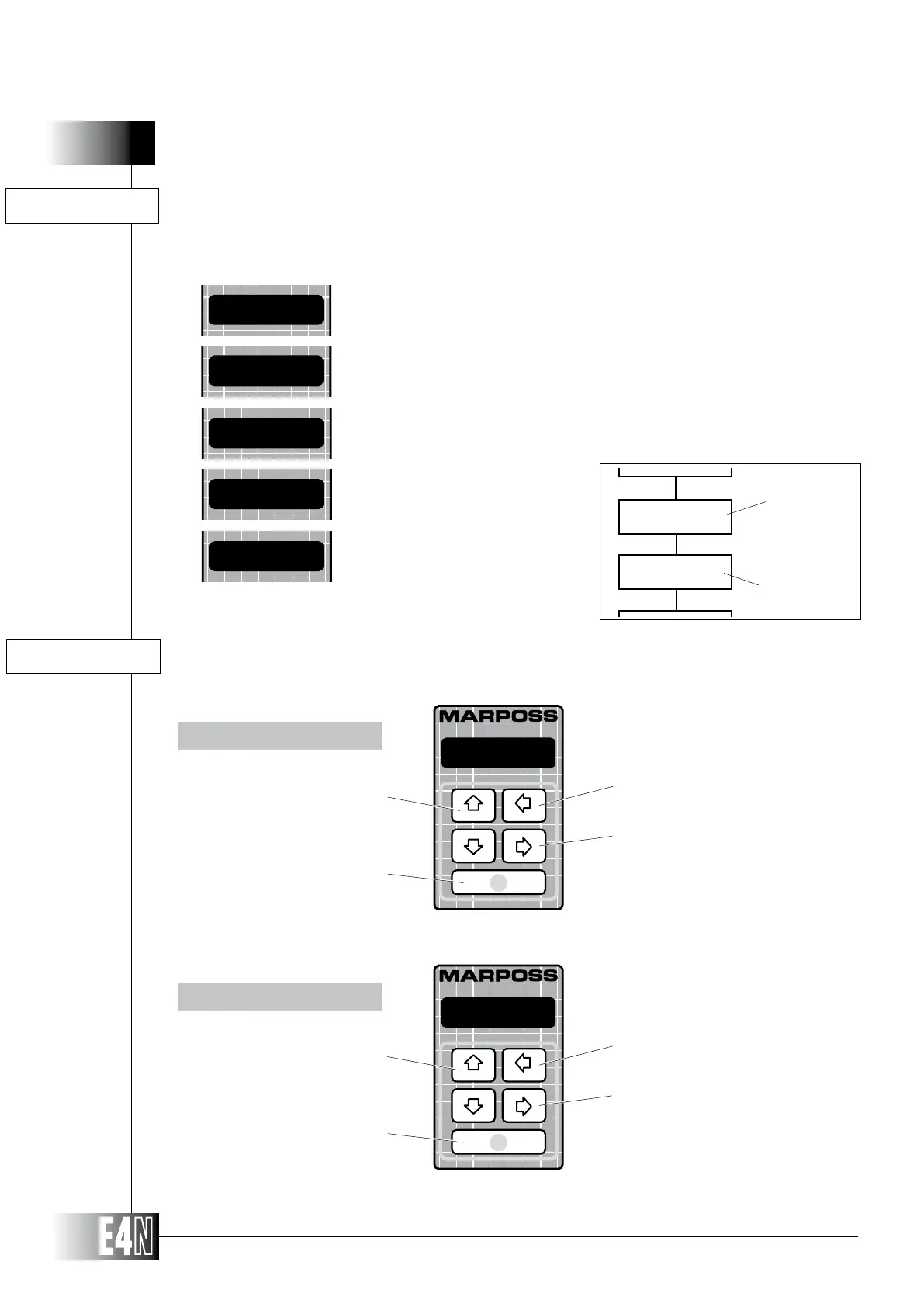
The basic components of programming are as follows:
MENUS (items followed by
" : ")
VARIABLES (items followed by " = ")
Go to the PREVIOUS menu
on the same level
Go to the NEXT menu on
the same level
Note: Scrolling of menus on the
same level is circular.
Go to the upper level menu
Access the menu selected
Go to the PREVIOUS variable in
the same menu
Go to the NEXT variable in
the same menu
Note: Scrolling of the variables on
the same level is circular.
Go to the upper level
Edit a data item.
Confirm a data item.
MENU
VARIABLES
DEFAULT DATA
NUMERIC DATA
STRINGS
USING THE KEYS
GENERAL EDITING RULES
TOLER+=
MEASURE:
+0.0000
metric
MARPOSS
MENU
VARIABLE
FLOW-CHART example
MEASURE:
M.SYST=
TOLER+=
MEASURE:



 To Next Page