3
3.9.9
o.r.
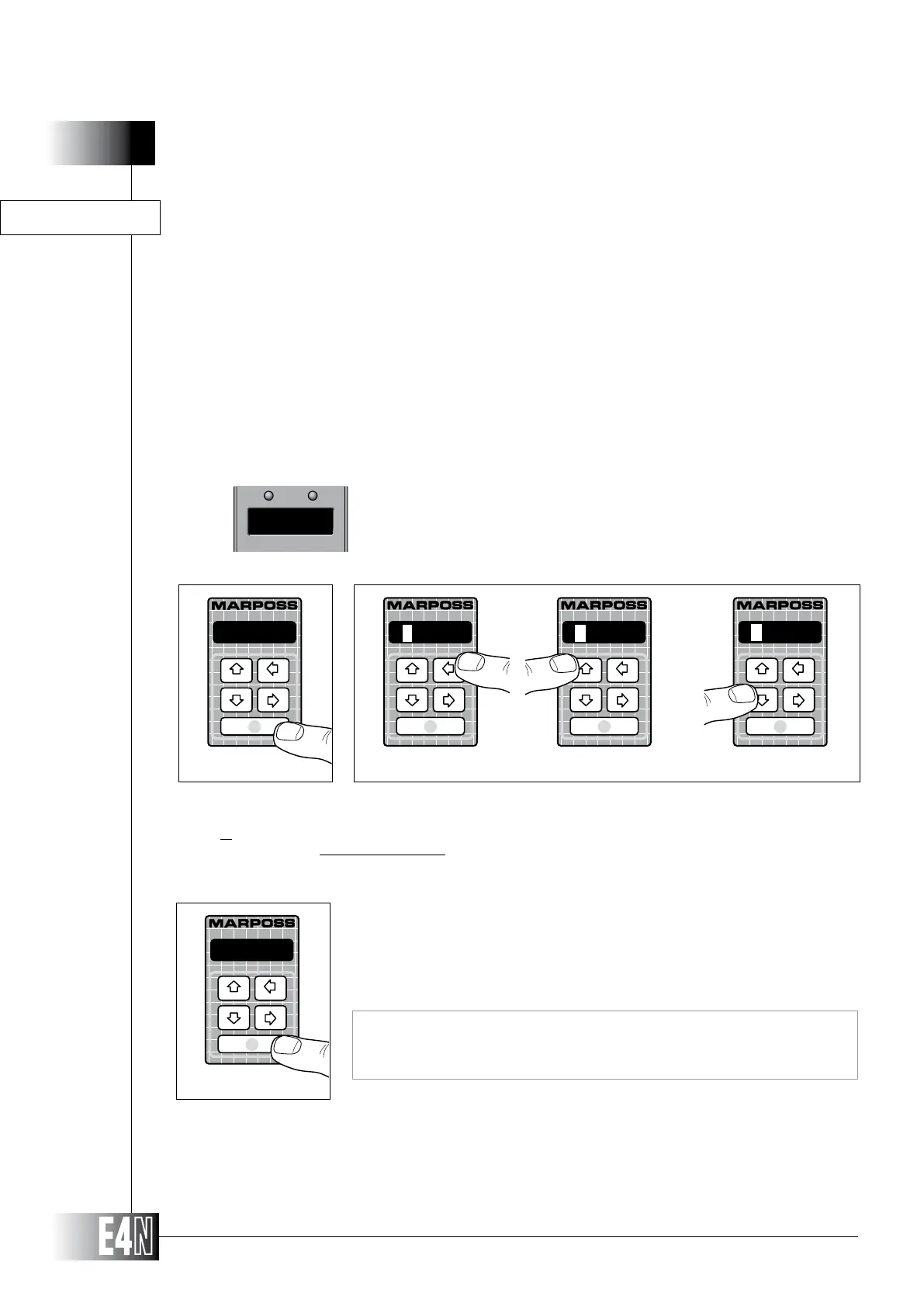
HOW TO PROGRAM THE E4N COLUMN
Step 1: Press the ENTER key to set the variable.
Step 2:
DOWN arrow keys to increase or decrease the value of the flashing digit.
Note: Not to program (Reset) the variable, repeatedly press the UP or DOWN arrow key when the first digit on the left of the
display is flashing.
0070.0
Step 3
Step 3: Press the ENTER key to confirm the numeric data and to pass to programming of the
next variable.
Note: If this variable is programmed (i.e. assigned a numeric value), the column
will switch from one measurement to another at the threshold value de-
fined in this menu.
THRESH.= (Threshold value for automatic switching)
THRESH.=
Step 1
Step 2
1000.0
0000.0
R___._
This parameter appears only if the number of programmed measurements is bigger than one.
The automatic switch among the measurements is therefore possible only if they are static.
AUTOMATIC SWITCH BETWEEN TWO STATIC MEASUREMENTS
More measurements can be carried out on the same column if
- they are obtained as a linear combination of different transducers
- the total number of involved transducers is between two and four
The measurements are not displayed at the same time and each measurement is displayed according
to validity and programmed threshold. If they are not valid nor within the programmed threshold, the
message o.r. (OVER RANGE) is displayed. This working mode requires the COMMUT parameter to be



 To Next Page