3
3.9.4
3.9.5
central
DISPLAY=
Step 1
Step 2
central
Step 3
central
bottom
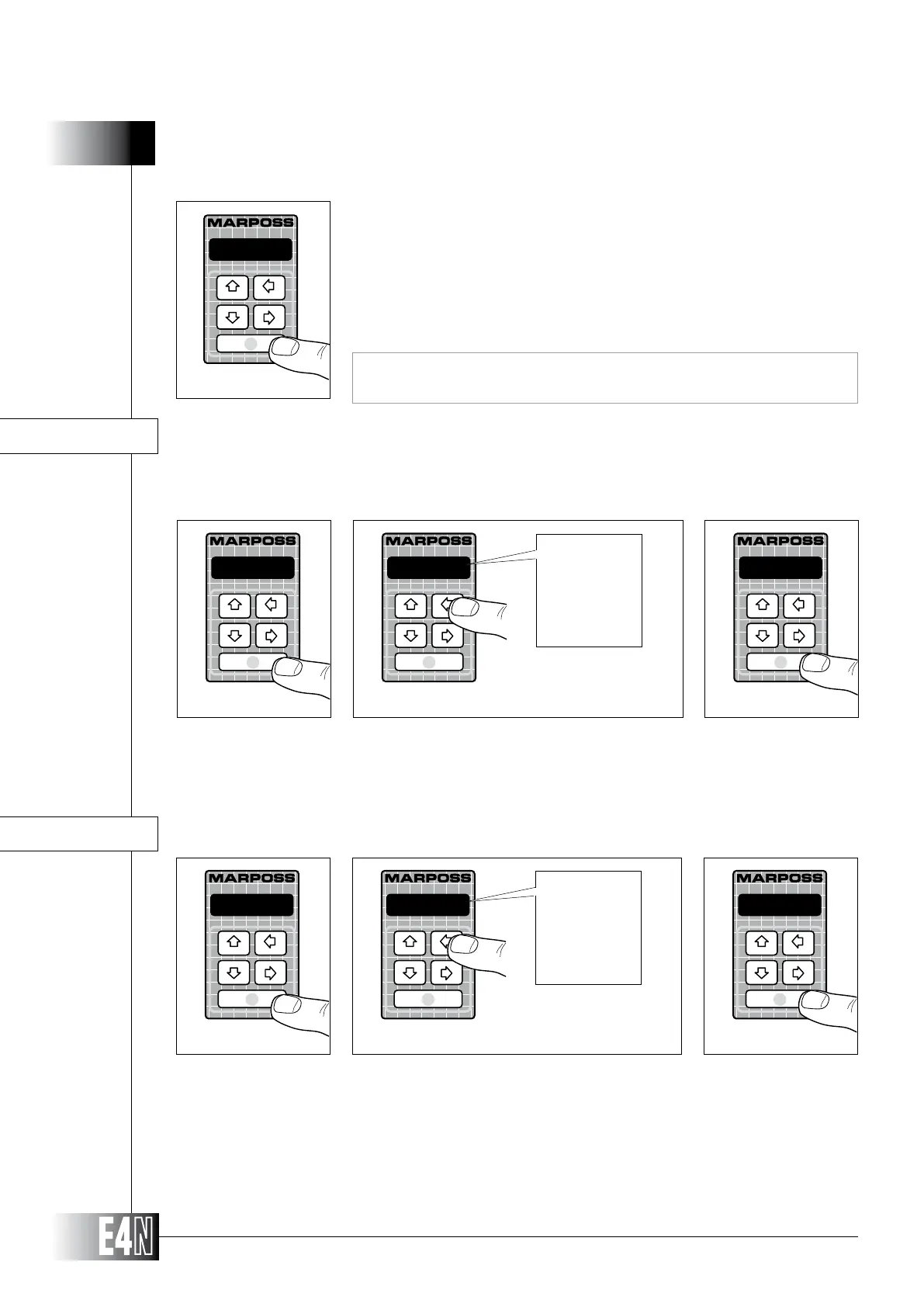
Step 1: Press the ENTER key to set the variable.
Step 2:
Step 3: Press the ENTER key to confirm the table data and to pass to programming of the next variable.
DISPLAY= (LED scale display mode)
HOW TO PROGRAM THE E4N COLUMN
Step 3: Press the ENTER key to confirm the numeric data.
-1.000
Step 3
This variable will be displayed for a single measurement only. This variable sets the E4N column
for the static or dynamic measurement modes.
Step 1: Press the ENTER key to set the variable.
Step 2:
Step 3: Press the ENTER key to confirm the table data and to pass to programming of the next variable.
static
M.TYPE=
Step 1
Step 2
static
Step 3
static
Max
min
(M+m)/2
(M-m)/2
M-m
M.TYPE= (Type of measurement: Static/Dynamic)
Note: To program the variable "SENS. B=" "SENS. C=" "SENS. D=" follow the
same procedure.



 To Next Page