3.9.19
3
3.9.18
è01 ____
è01ç
è01ççççç
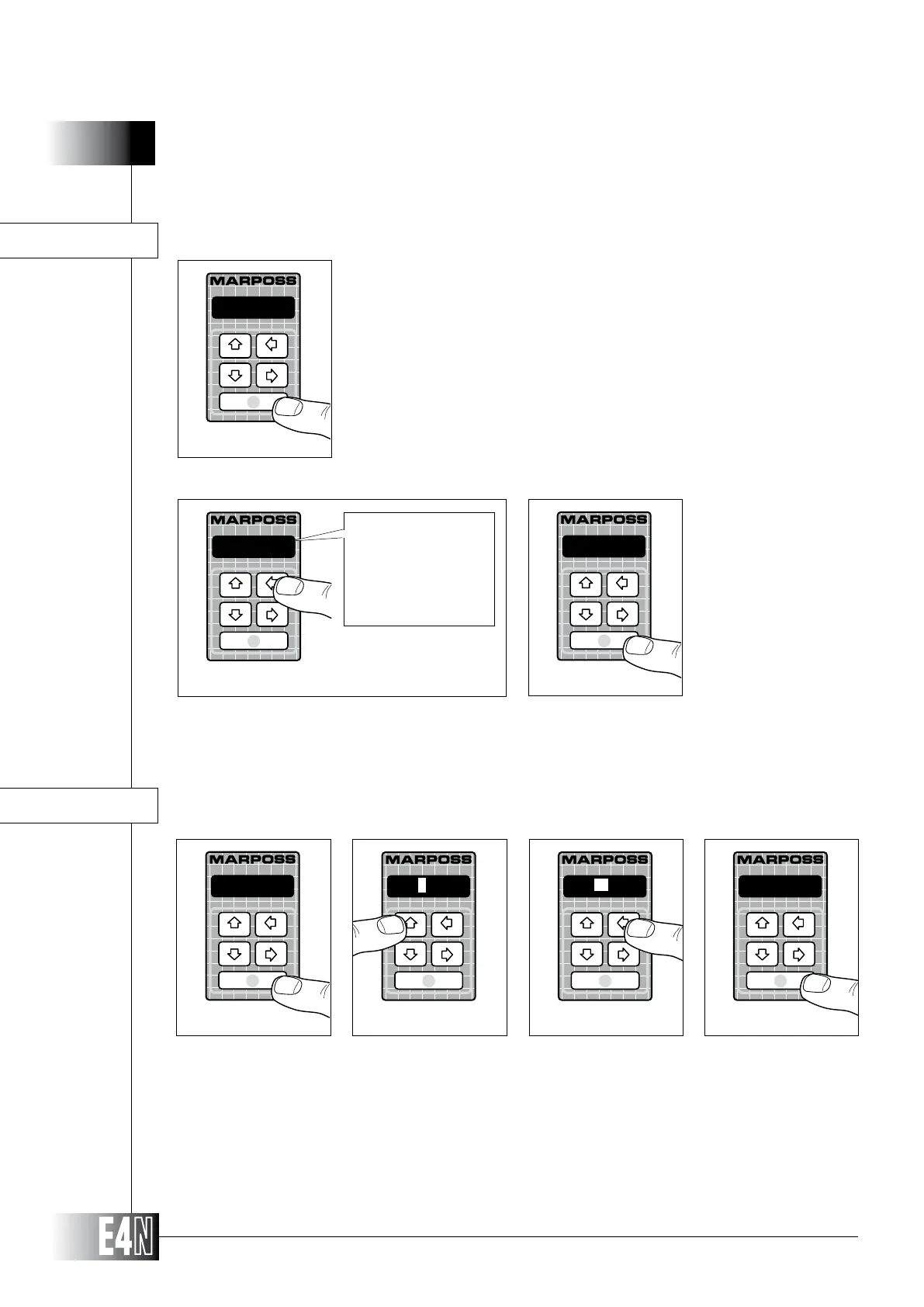
IDENT.= (E4N column identication name)
Step 1: Press the ENTER key to set the variable.
Step 2: Use the UP and DOWN arrow keys to set the alphanumeric data.
Step 3:
Step 4: Press the ENTER key to confirm the string and to pass to programming of the next variable.
Step 1
Step 2
Step 4
IDENTIF=
Step 3
HOW TO PROGRAM THE E4N COLUMN
Step 2:
Step 3: Press the ENTER key to confirm the table data and to pass to programming of the next variable.
cr
Step 2
cr
cr+lf
(CARRIAGE RETURN)
(CARRIAGE RETURN+LINE FEED)
cr
Step 3
LIN_TER=
Step 1
This variable defines the method for closing a line of values.
LIN_TER= (Value line close)
Step 1: Press the ENTER key to set the variable.
Note: The identication name is MARPOSS by default. To transmit data an identification number has to be programmed within
opening and closing characters (see above example). If more than one column is connected to the same PC the identifi-
cation number must be unique for each column.



 To Next Page