3
3.6.4
3.6.5
3.7
250 n.r.
+1.000
on
off
DIGIMAT=
RS 232=
HOW TO PROGRAM THE E4N COLUMN
"TR.ADJ:" MENU
The "TR.ADJ:" menu contains the variables to program the measurement range and the sensitivity
of the sensors.
(Measurement range assigned to channel A)
(Sensor A sensitivity and/or arm ratio
correction coefficient)
The E4N column can be used to transfer measurement data to additional equipment such as
statistical analyzers and printers. The communication mode must be programmed by setting the variables
in this menu.
(DIGIMATIC serial communication interface is on)
(RS 232 serial communication interface is on)
"COMM:" MENU
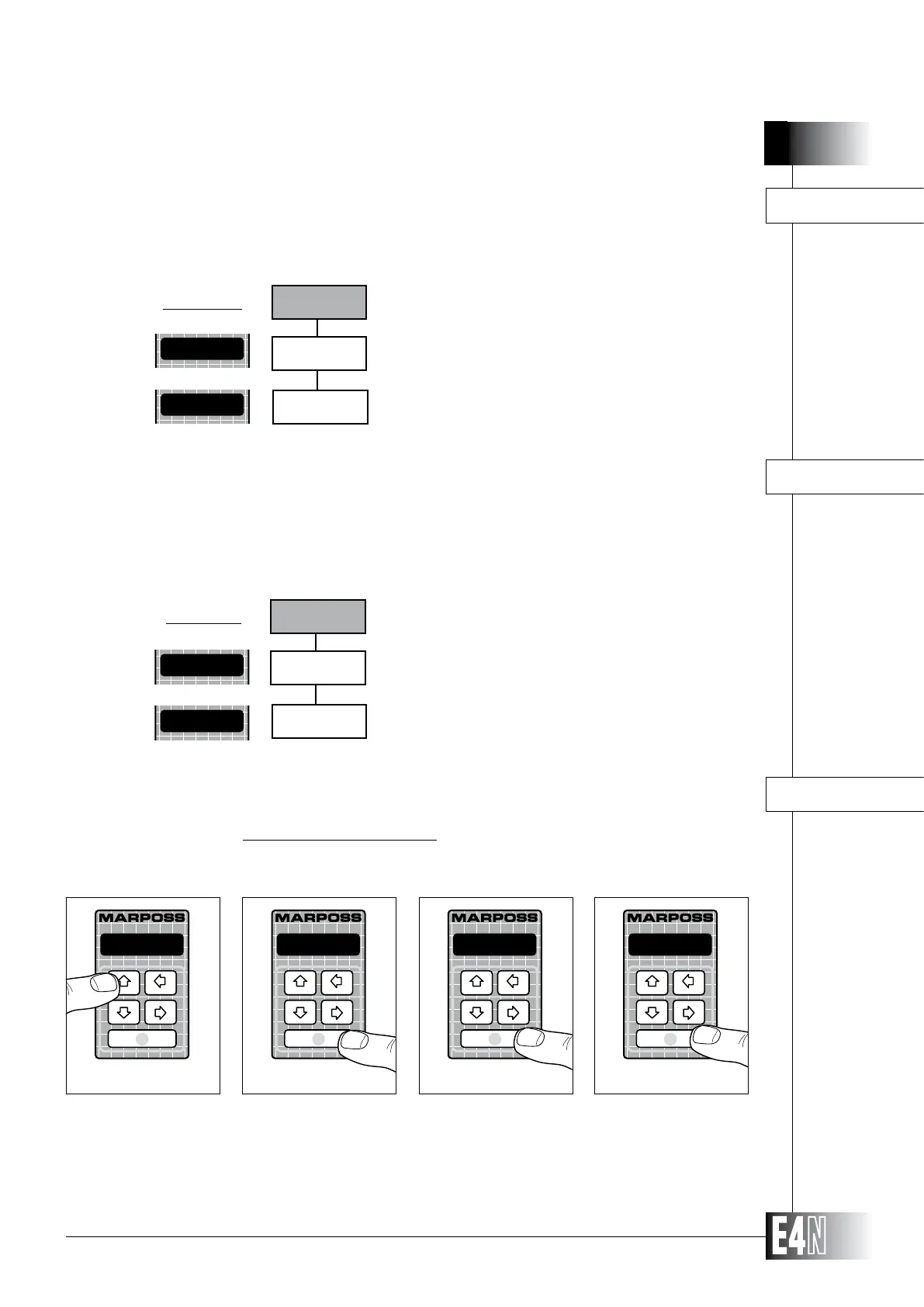
HOW TO RESTORE THE DEFAULT VALUES
If you wish to return to the programmed default settings for the E4N column, proceed as follows:
P R O G
Step 1
PROGRAM:
Step 2
one ch.
Step 3
MEASURE:
Step 4
Step 1: Press the UP arrow key (PROG) for at least two seconds in order to enter the PROGRAMMING mode.
Step 2: Press the ENTER key to access the "PROGRAM:" menu.
Step 3: Press the ENTER key again to access the next menus.
Step 4: Press the ENTER key again to enter the "MEASURE:" menu.
Default values:
Default values
TR.ADJ:
W.R.A=
SENS.A:
COMM:



 To Next Page