3
3.8.6
3.8.5
HOW TO PROGRAM THE E4N COLUMN
-0030.0
Step 3
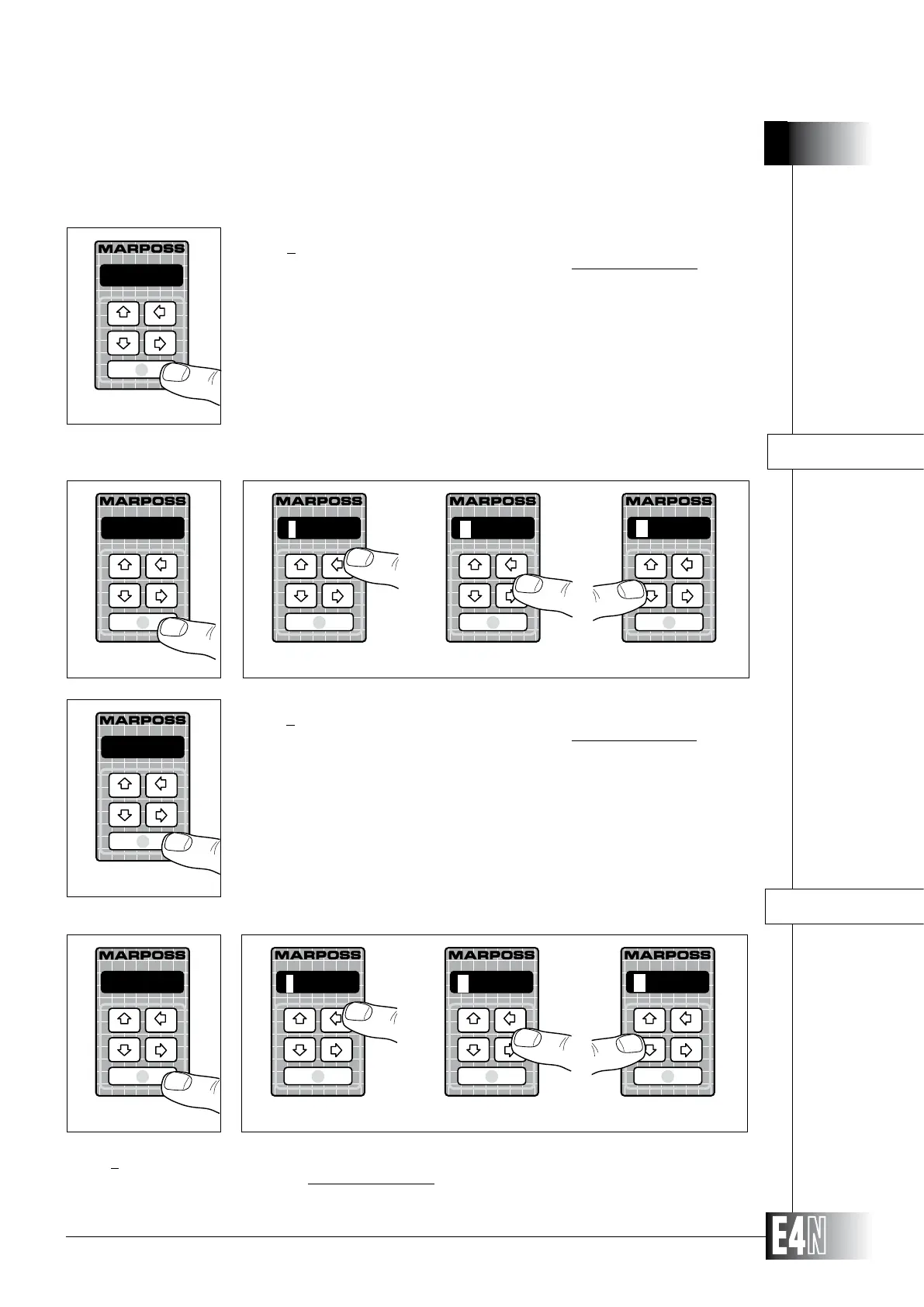
Step 1: Press the ENTER key to set the variable.
Step 2:
digit is flashing). Use the UP and DOWN arrow keys to increase or decrease the value
of the flashing digit.
Note: Not to program (Reset) the variable, repeatedly press the UP or DOWN arrow key when
the first digit on the left of the display is flashing.
Step 3: Press the ENTER key to confirm the numeric data and to pass to programming of the
next variable.
APPRCH-= (Lower tolerance approach limit)
Step 1: Press the ENTER key to set the variable.
Step 2:
Use the UP and DOWN arrow keys to increase or decrease the value of the flashing digit.
Note: Not to program (Reset) the variable, repeatedly press the UP or DOWN arrow key when the first digit on the left of the
display is flashing.
APPRCH-=
Step 1
Step 2
Step 1: Press the ENTER key to set the variable.
Step 2:
digit is flashing). Use the UP and DOWN arrow keys to increase or decrease the value
of the flashing digit.
Note: Not to program (Reset) the variable, repeatedly press the UP or DOWN arrow key when
the first digit on the left of the display is flashing.
Step 3: Press the ENTER key to confirm the numeric data and to pass to programming of the
next variable.
APPRCH+=
Step 1
+0025.0
Step 3
Note: The maximum and minumum values that can be set are the same as the pro-
grammed upper and lower tolerance limits (see Sections 3.8.3 and 3.8.4).
Step 2
APPRCH+= (Upper tolerance approach limit)
-0030.0
+0030.0
R____._
-0030.0
+0030.0
R____._



 To Next Page