3.9.14
3
3.9.13
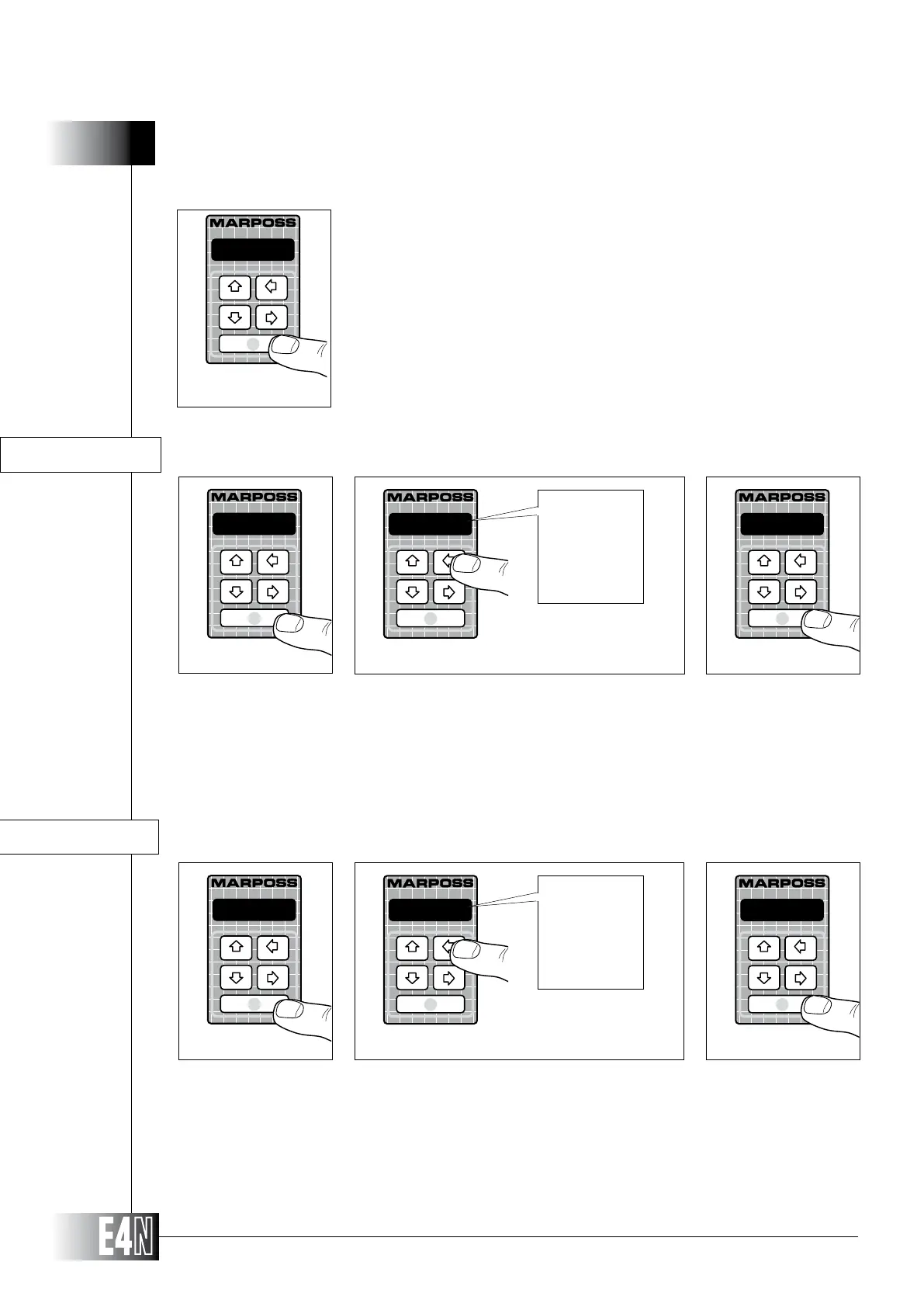
DATABIT= (Number of BIT/character)
DATABIT=
Step 1
7 bit
Step 2
8 bit
Step 3
7 bit
8 bit
Step 1: Press the ENTER key to set the variable.
Step 2:
Step 3: Press the ENTER key to confirm the table data and to pass to programming of the next variable.
HOW TO PROGRAM THE E4N COLUMN
BAUDR= (Data transmission speed in BIT/sec.)
BAUDR=
Step 1
9600
Step 3
Step 1: Press the ENTER key to set the variable.
Step 2:
Step 3: Press the ENTER key to confirm the table data and to pass to programming of the next variable.
2400
Step 2
2400
4800
9600
Note: If the "RS232=" variable has been set to "printer", the E4N column will display a
series of other variables for customising the print protocol ("BAUDR=", "DATA-
BIT=", "PARITY=", "HAND-SH=", "LINxPAG=" and "LIN_TER=").
Step 1: Press the ENTER key to set the variable.
Step 2:
Step 3: Press the ENTER key to confirm the table data and to pass to programming of the
next variable.
printer
Step 3



 To Next Page