3
3.8.2
3.8.3
3.8.4
1
2
3
4
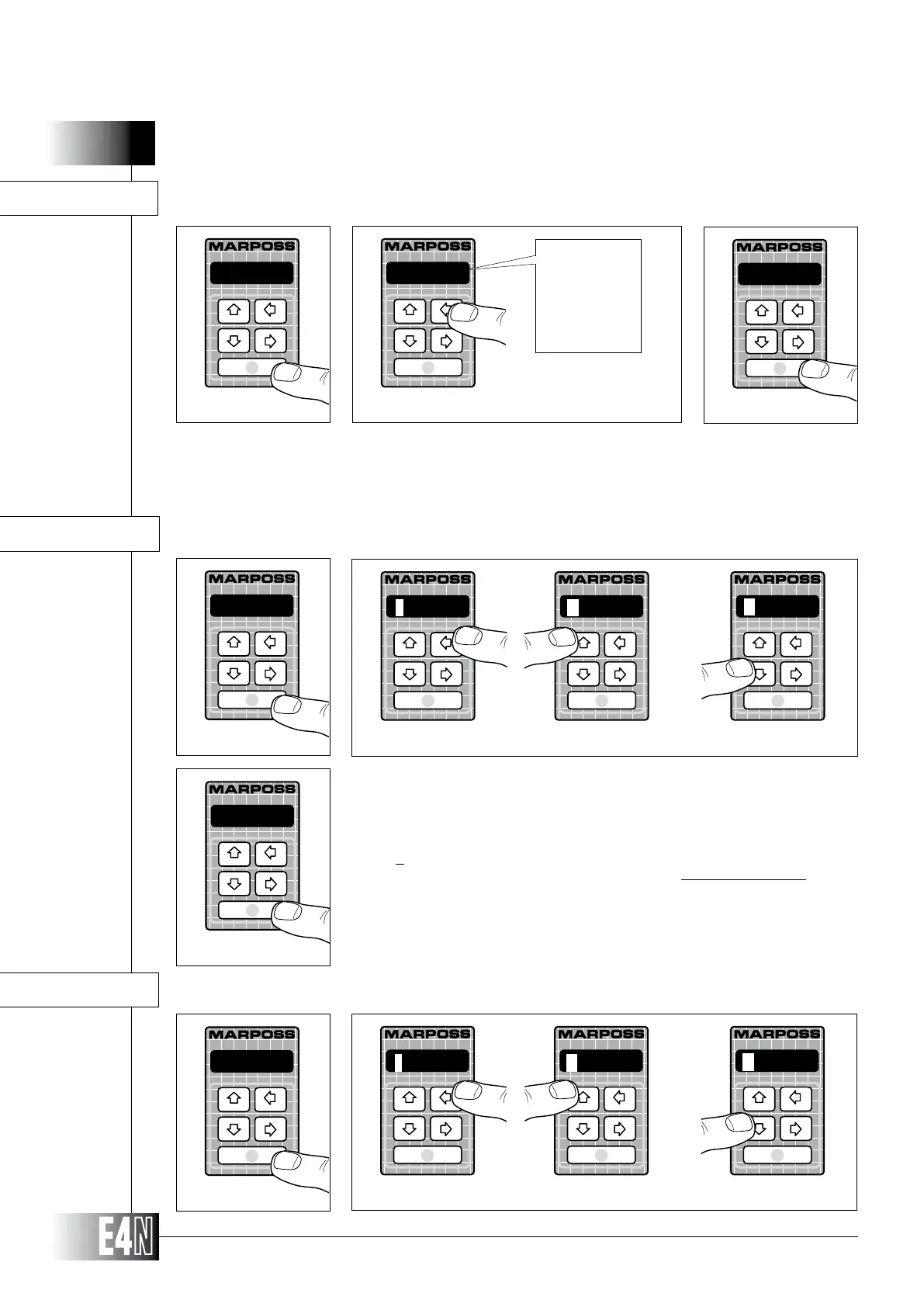
Step 1: Press the ENTER key to set the variable.
Step 2:
Step 3: Press the ENTER key to confirm the table data item selected and to pass to programming of the next variable.
Note:
HOW TO PROGRAM THE E4N COLUMN
1
Step 3
1
N.MEAS=
Step 1
Step 2
N.MEAS= (Number of measurements to be carried out)
+0030.0
Step 3
Step 1: Press the ENTER key to set the variable.
Step 2:
digit is flashing). Use the UP and DOWN arrow keys to increase or decrease the value
of the flashing digit.
Note: Not to program (Reset) the variable, repeatedly press the UP or DOWN arrow key when
the first digit on the left of the display is flashing.
Step 3: Press the ENTER key to confirm the numeric data and to pass to programming of the
next variable.
TOLER += (Upper tolerance limit)
TOLER -= (Lower tolerance limit)
TOLER -=
Step 1
Step 2
TOLER +=
Step 1
Step 2
-0030.0
+0030.0
R____._
-0030.0
+0030.0
R____._



 To Next Page