3
3.4
HOW TO PROGRAM THE E4N COLUMN
ENTERING AND EXITING THE PROGRAMMING MODE
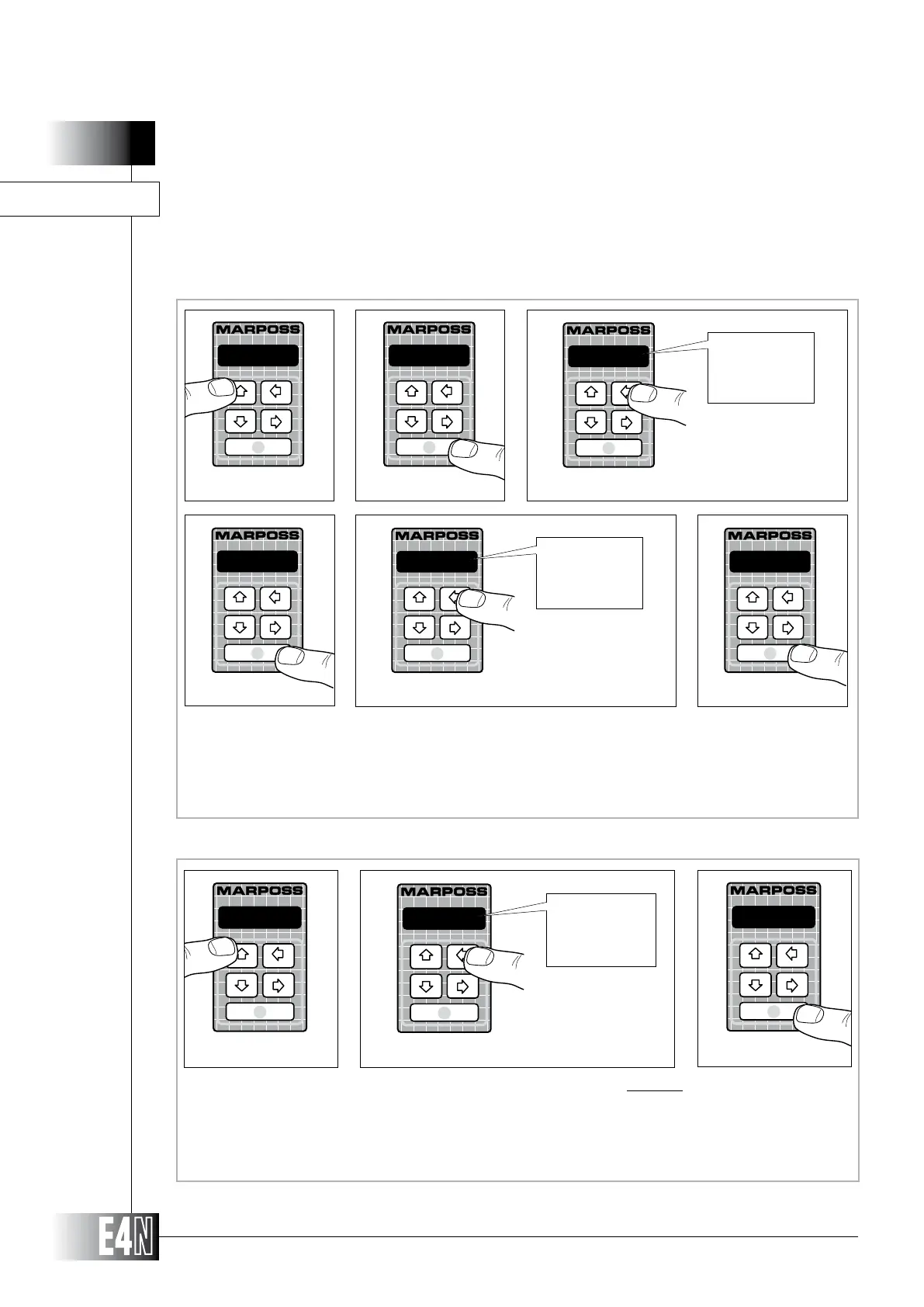
This section describes the procedure for entering and exiting the PROGRAMMING mode.
TO EXIT:
Step 1: To exit from the PROGRAMMING mode, press the UP arrow key (PROG.) repeatedly.
Step 2:
(SAVE to save the programmed data)
(RESTORE to restore the data previously programmed)
(RESET to reset the programmed data and to return to the default values)
Step 3: Press the ENTER key to confirm and to pass to measurement operations.
PROGRAM:
Step 1
save
Step 3
Step 2
save
save
restore
reset
Step 1: To enter the programming mode, press the UP arrow key (PROG) for at least two seconds.
Step 2: Press the ENTER key to access the "PROGRAM:" menu.
Step 3:
Step 4: Press the ENTER key to confirm the selection and to pass to the next menu.
Step 5:
Step 6: Press the ENTER key to enter the menu selected and to start programming the variables in that menu.
PROGRAM:
P R O G
Step 1
Step 2
Step 3
one ch.
one ch.
two ch.
all
one ch.
Step 4
MEASURE:
Step 6
Step 5
MEASURE:
MEASURE:
ADVANC.:
TO ENTER:



 To Next Page