3
3.5
HOW TO PROGRAM THE E4N COLUMN
SELECTING THE PROGRAMMING LANGUAGE
The E4N is supplied with English set as the default programming language. To change the lan-
guage and display menu names, variables and other messages so that they correspond with the terms
used in the instruction manual in your hands, proceed as follows:
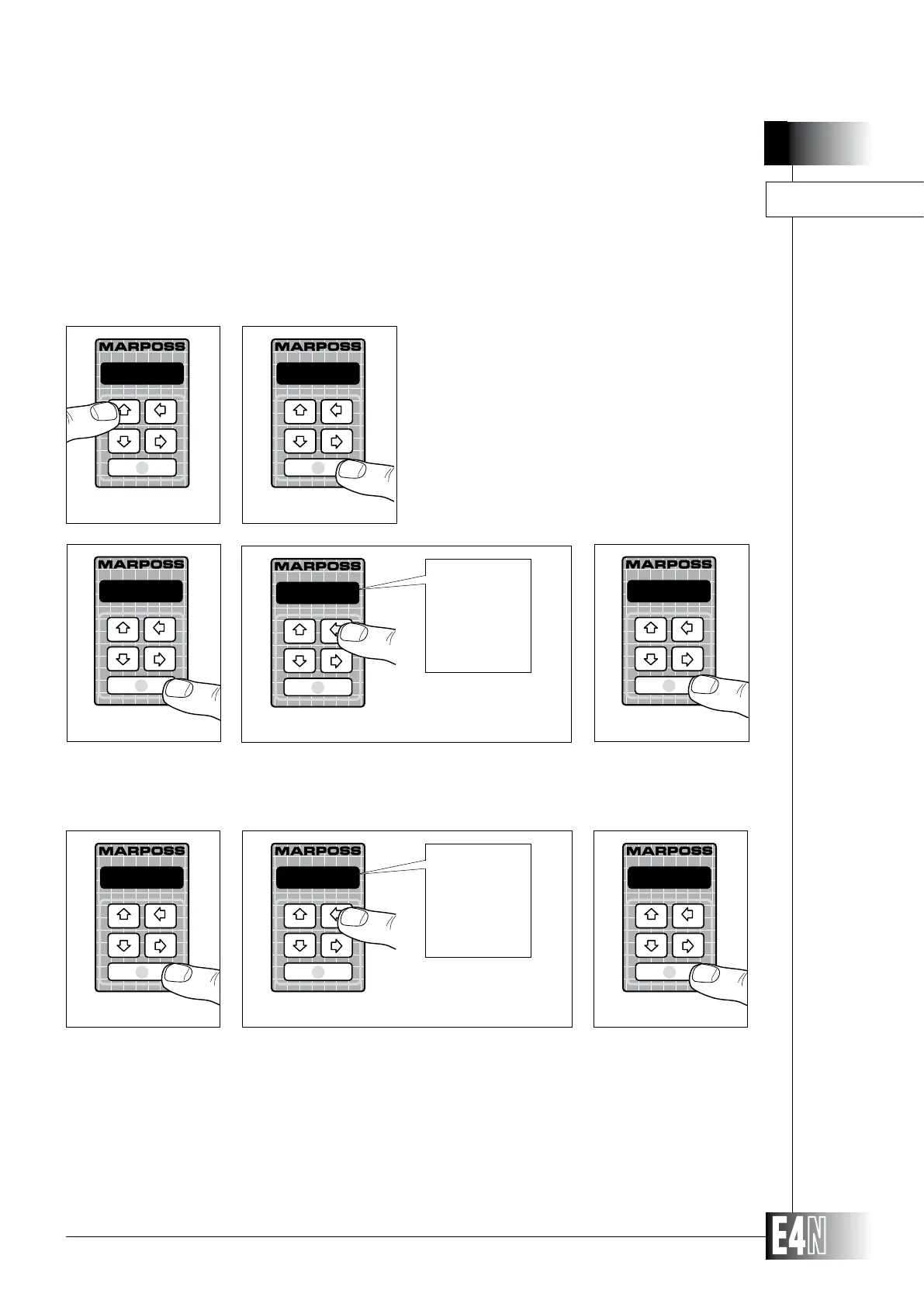
Step 1: Press the UP arrow key (PROG) for at least two
seconds to enter the PROGRAMMING mode.
Step 2: Press the ENTER key to enter the "PROGRAM:"
menu.
P R O G
Step 1
PROGRAM:
Step 2
english
Step 7
english
francais
deutsch
espanol
italiano
LANGUAG=
Step 6
italiano
Step 8
Step 6: Press the ENTER key to set the "LANGUAG=" variable.
Step 7: Use the UP and DOWN arrow keys to select the language you require.
Step 8: Press the ENTER keys to confirm your selection.
Note: The language selected immediately becomes the language used in programming displays.
MEASURE:
Step 4
MEASURE:
ADVANC.:
ADVANC.:
Step 5
one ch.
Step 3
Step 3: Press the ENTER key again to access the next menu.
Step 4: ADVANC.:" menu.
Step 5: Press ENTER to enter the "ADVANC.:" menu.



 To Next Page