3
HOW TO PROGRAM THE E4N COLUMN
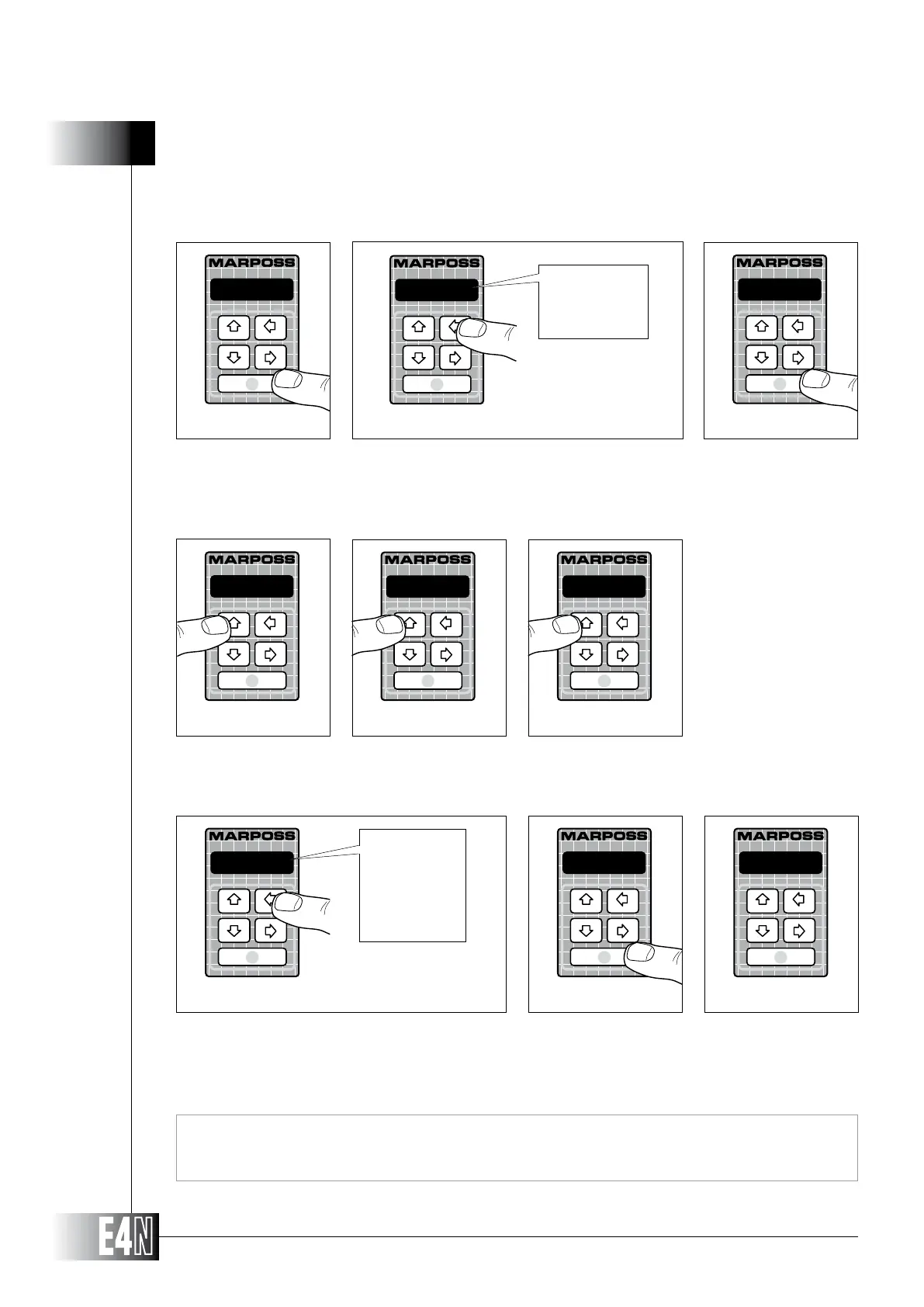
Steps 8-9-10: Press the UP arrow key (PROG) to exit the programming mode.
Note: To restore the default values, you must first select and modify the value for any variable and exit from that
variable in order to access the SAVE/RESTORE/RESET mode.
Step 5: Press the ENTER key to access the variable.
Step 6:
Step 7: Press the ENTER key to confirm your entry.
Step 11: RESET" option.
Step 12: Press the ENTER key to cancel the current programming.
Step 13: The alphanumeric display will display the message "N READY" (NOT READY) to indicate that the column cannot be
used after completion of the RESET operation.
Note: In order to be able to use the E4N column at this point you must either restore the default values or pro-
to your requirements, see Section 3.
Step 6
metric
metric
inch
M.SYST=
Step 5
inch
Step 7
ADVANC.:
Step 9
PROGRAM:
Step 10
TOLER+=
Step 8
SAVE
Step 11
SAVE
RESTORE
RESET
RESET
Step 12
N READY
Step 13



 To Next Page