6
+21.0
ZERO
+20.0
ZERO
-21.0
S=1.088
-23.0
SENS
-21.0
DONE
DONEDONE
CALIBRATION PROCEDURE
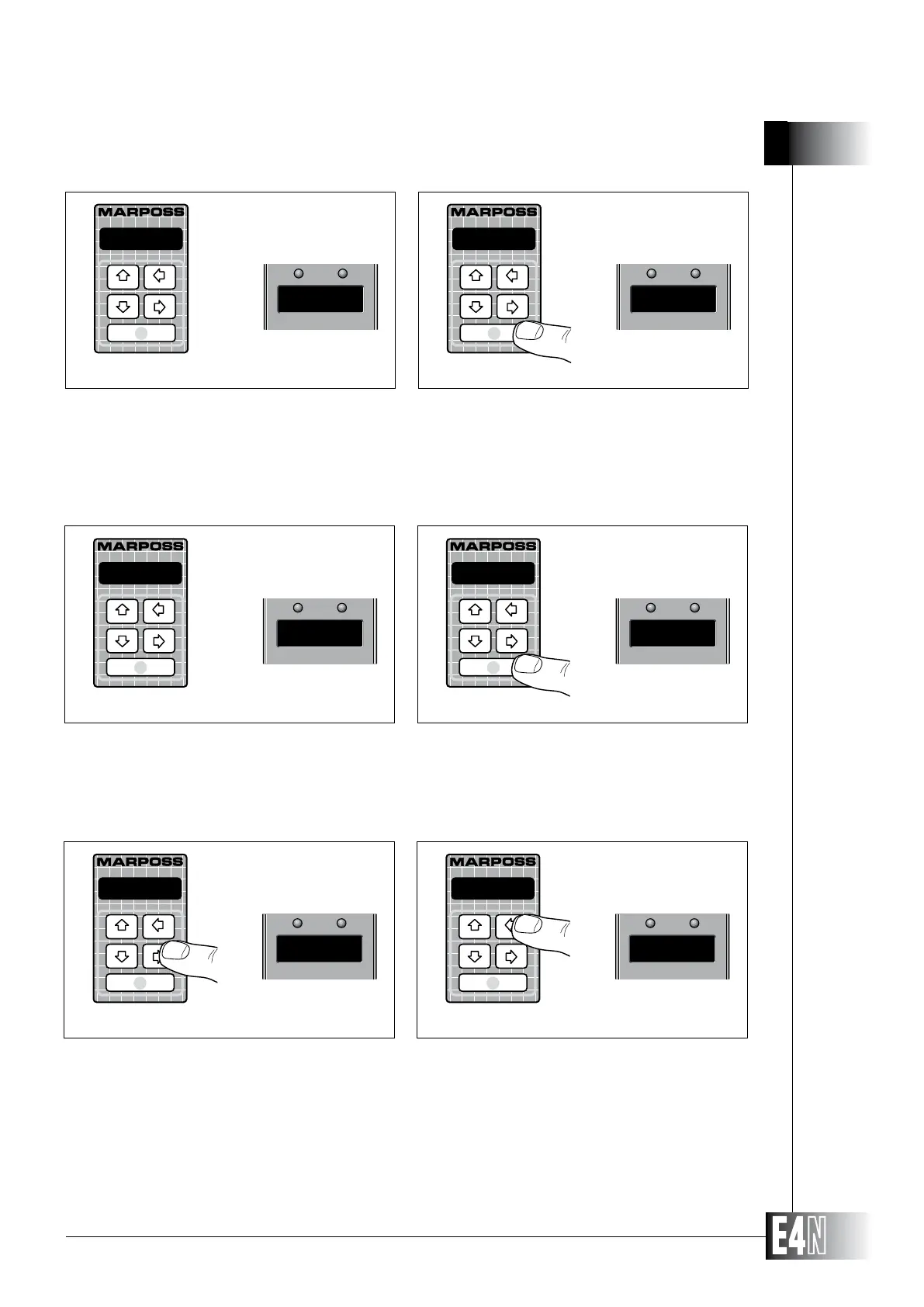
Step 2: Insert the gauge in its zeroing master.
Note:
of the max. master respectively according to which master has been chosen as zeroing master
(min. or max. master respectively).
Step 3: Press ENTER to confirm the calibration.
Step 2 Step 3
Step 4
Step 4: Inser the gauge in the second master to correct the sensitivity.
Note:
of the min. master respectively according to which master has been chosen as zeroing master
(max. or min. master respectively).
Step 5: Press ENTER to confirm the calibration. If the sensitivity adjustment has been succesful the
upper display shows the message "DONE".
Step 5
Step 6: Press the right arrow key to display the sensitivity correction coefficient which the column has
automatically calculated.
Step 7: Press the left arrow key (CAL) to exit the calibration mode if only one measurement has been
programmed or to pass to next calibration if to or more measurements have been program-
med. In the first case the upper display shows the programmed scale value alternatively to the
measurament number; in the second case the upper display shows the message "CAL 2" while
in the alphanumeric display the message "CALIBRAT" is shown. If more measurements are
programmed, at the end of calibration procedure the upper display shows the programmed
scale value alternatively to the number of the measurement. By default the column sets for
Step 7Step 6



 To Next Page