12.2 Connect to RSP mbCONNECT24
Selecting the Server
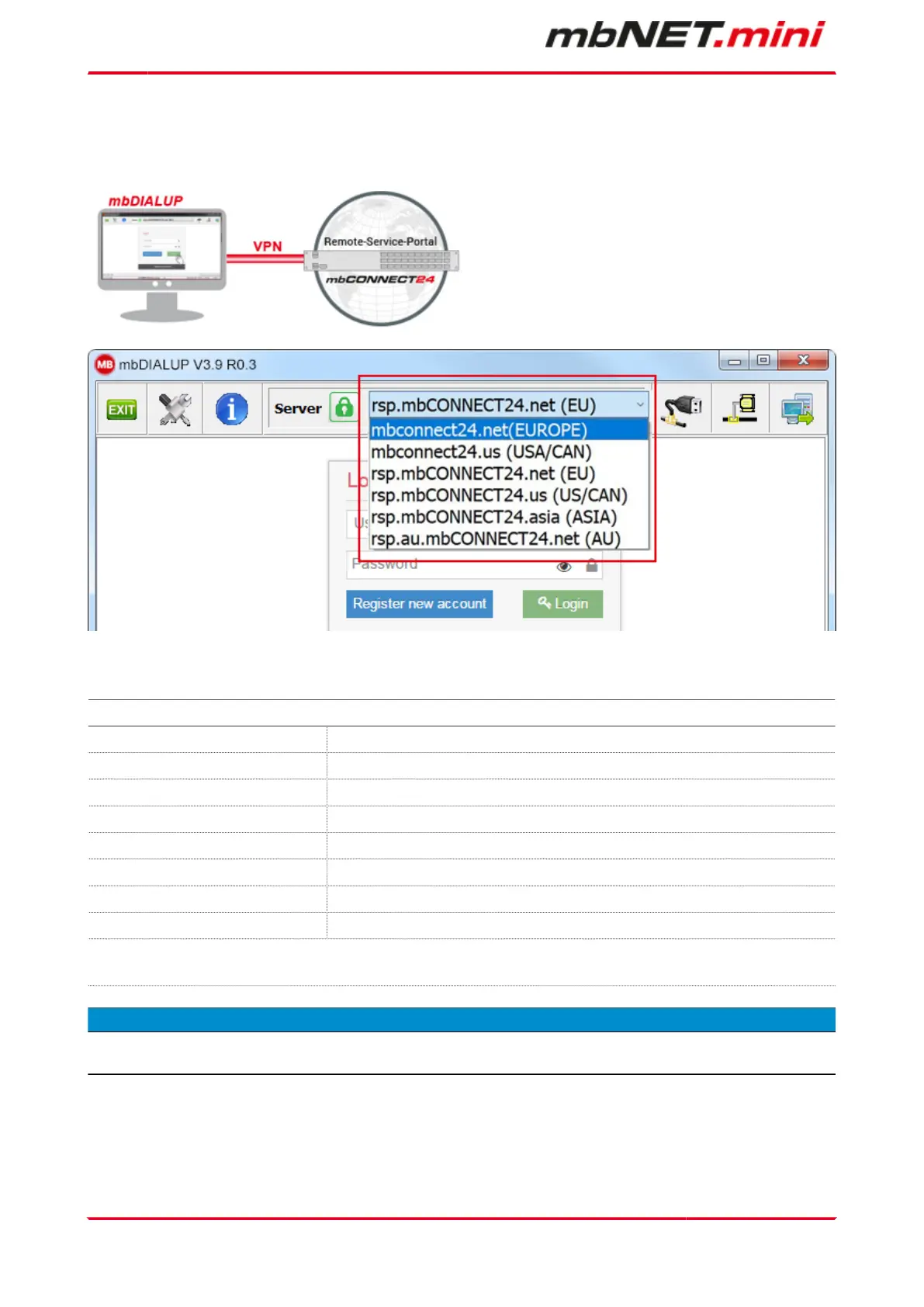
1. Start mbDIALUP and select from the pull-down menu "Server" your mbCONNECT24 server.
mbCONNECT24 server list
Server name Note
mbconnect24.net(EUROPE) mbCONNECT24 V1 - server location: Europe
mbconnect24.us(USA/CAN) mbCONNECT24 V1 - server location: USA / Canada
rsp.mbCONNECT24.net(EU) RSP mbCONNECT24 V2* - server location: Europe
rsp.mbCONNECT24.us(US/CAN) RSP mbCONNECT24 V2* - server location: USA / Canada
rsp.mbCONNECT24.asia (ASIA) RSP mbCONNECT24 V2* - server location: Asia
rsp.au.mbCONNECT24.net (AU) RSP mbCONNECT24 V2* - server location: Australia
User defined mymbCONNECT24
* The Remote-Service-Portal mbCONNECT24 V2 is the current version for secure remote
maintenance, data acquisition, M2M communication and networking via the Internet.
NOTICE
The server location can be seen in the confirmation e-mail for subscribing to mbCONNECT24.
Page 30 von 131 | Version: 2.2.1 - EN | Mar 28
th
, 2022 |


 To Next Page
 Loading...


