147
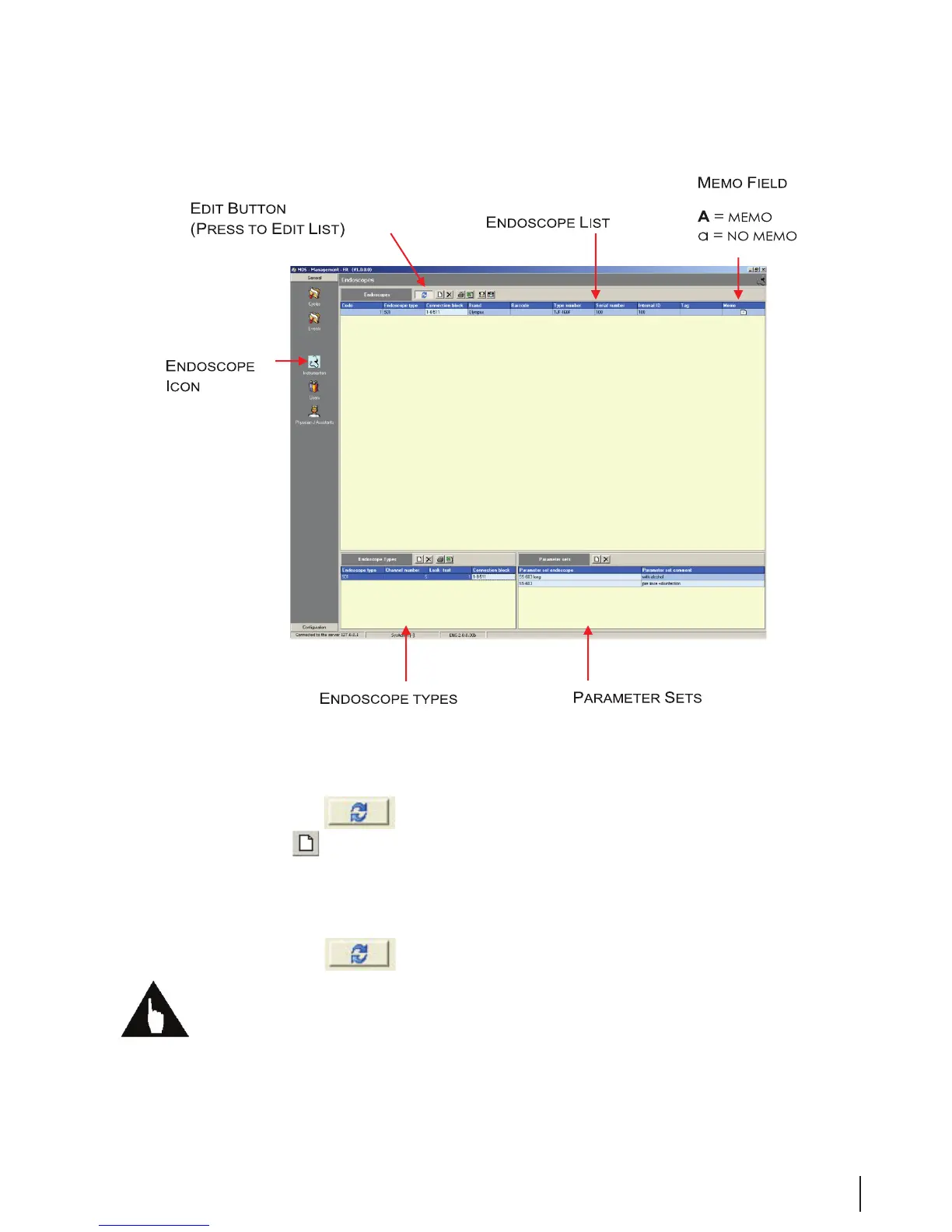
Figure 6 Endoscope Fields
Adding Endoscope Types
Before entering data for specic endoscopes, the endoscope types must be entered:
1. Click on the Edit icon
to enable editing.
2. Click on the New
button at the top of the Endoscopes Type window at the lower left of the
screen. An empty input line appears.
3. Place the cursor in the Endoscope Type eld and enter the appropriate data.
4. Move the cursor to the next eld and continue entering data in all applicable elds.
5. Click on the Edit icon
to disable editing.
Note: There is no Save button. Data is saved only if you click or move the cursor to another eld in the
list.



 To Next Page