164
System
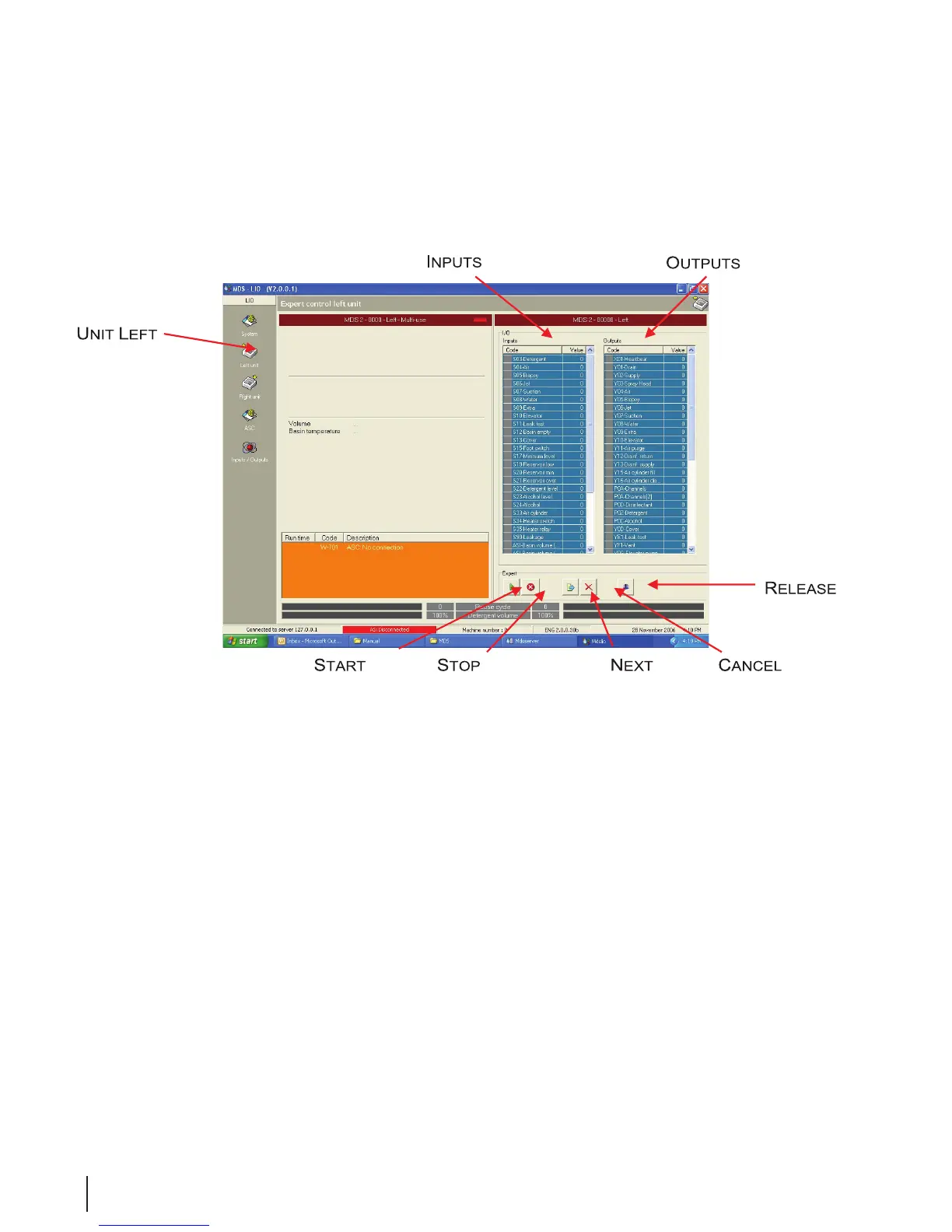
Figure 17 Unit Left Expert Operation
• Selecting either the Unit Left or Unit Right icons allows that half of the system to be monitored and
manually operated:
• If a sensor sends a signal to an input, the indicator turns green.
• Double clicking on an output allows it to be manually driven. The indicator turns red when the output
is activated and report W-800 appears in the status eld.
• Pressing the Start or Stop button affects an already active program. Clicking the Stop button sends
the program to the nal step in the process.
• Pressing the Next Step button sends the program to the following step in the process. This is useful
when simulating an error report or testing a component after a repair.
• Release All (Reset) must be pressed to undo all manual operations. You may also need to double
click on the output.



 To Next Page