168
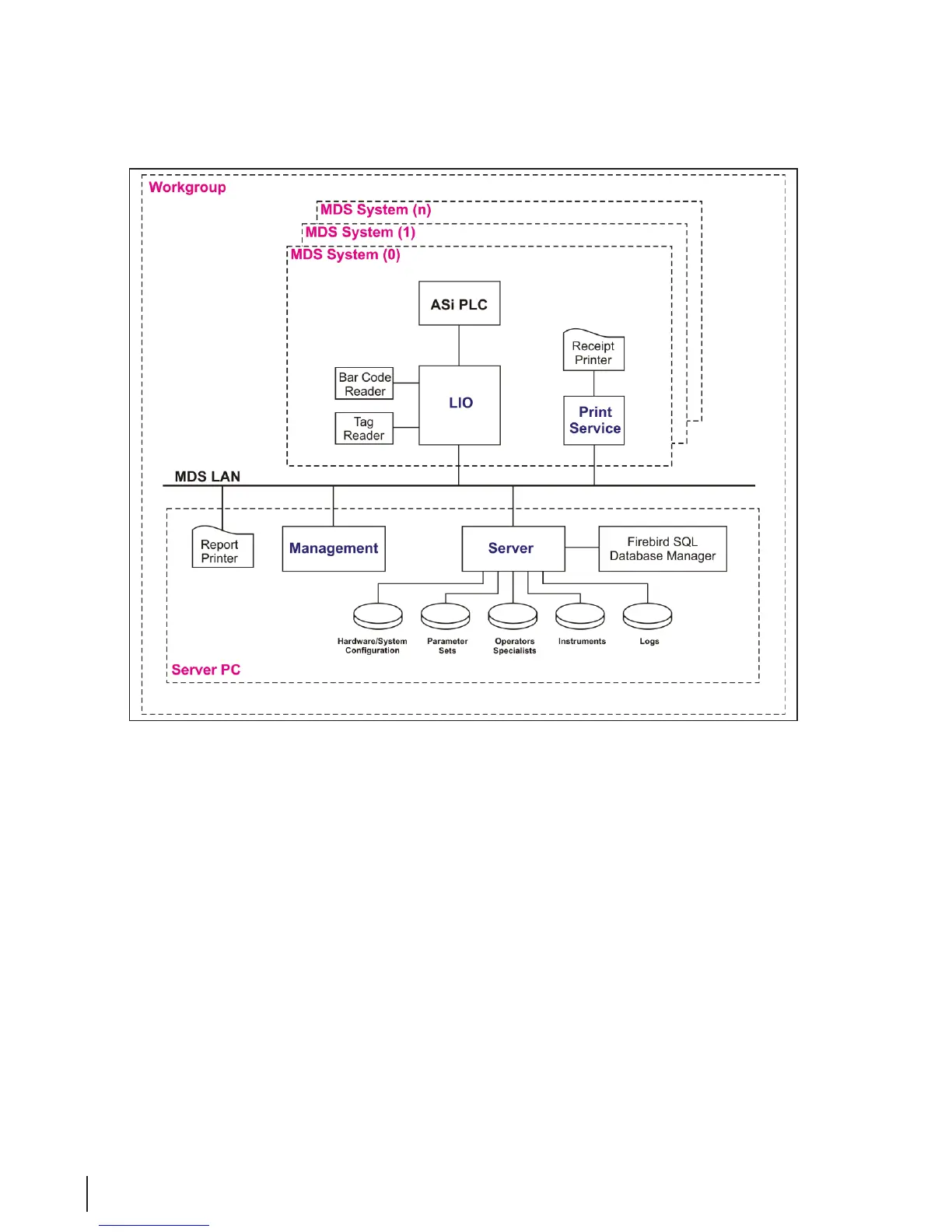
A detailed step-by-step description of the network setup process is described below:
Network Setup
This set of Instructions describes how to set up a network of MEDIVATORS
®
ADVANTAGE PLUS
®
Automated Endoscope Reprocessor as clients connected to a single server PC. It is assumed the PCs are
running Windows XP and the MEDIVATORS ADVANTAGE PLUS System PC software has not been
installed on any of the machines.
Server (Database PC)
1. Connect PC to HUB
2. Go to Control Panel → System → Computer Name
3. Click on “Change…”, and change name if necessary. (MDS-Server)
4. Select “Workgroup” and enter “MDS”. Click “OK”.
5. Go to your Control Panel → Network Connections.
6. Click with your right mouse button on “Local Area Connections” and select “Properties”.
7. Select “Internet Protocol (TCP/IP)” and click on “Properties”.



 To Next Page