28
Basin Control Buttons
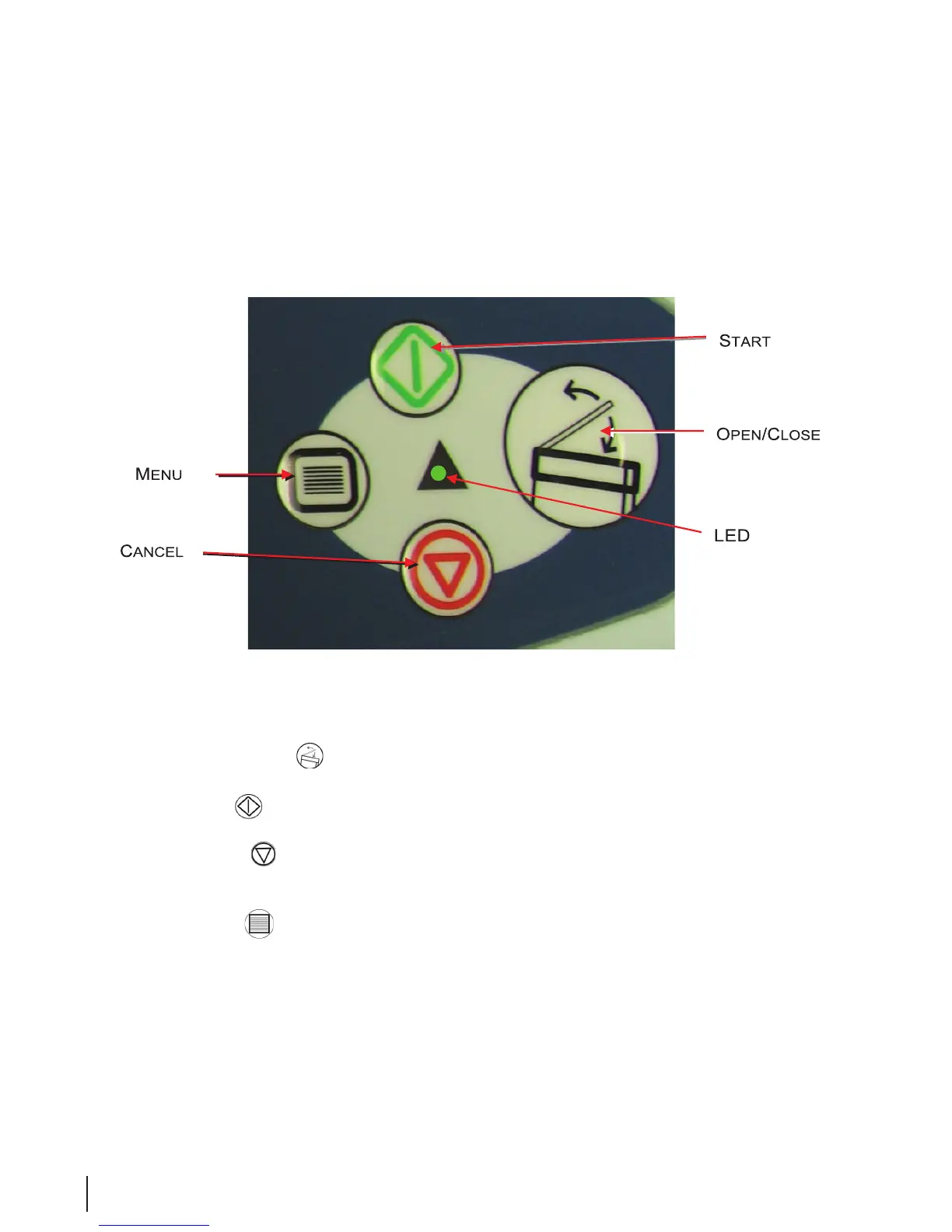
Each module is controlled by its own keypad grouping. The group shown in Figure 7 is for the right
module.
Figure 7 Basin Control Buttons
• Press the Open/Close button to open or close the lid on the basin. Note that during disinfection,
the lids will not open.
• Press the Start button to start a disinfection program. The button is also used to restart a program
after an error.
• Press the Cancel button whenever you have a reason to stop a disinfection program. If disinfectant
is in contact with the endoscope when the button is pressed, the program will run until conditions are
safe.
• Press the Menu
button to log in, select programs, and enter data.
• The green LED will display when system is operating normally, LED ashes green upon cycle
completion. If LED is red, system error has occurred. Verify the error condition. The endoscope may
not be disinfected. Do not use.



 To Next Page