27
Control Panel
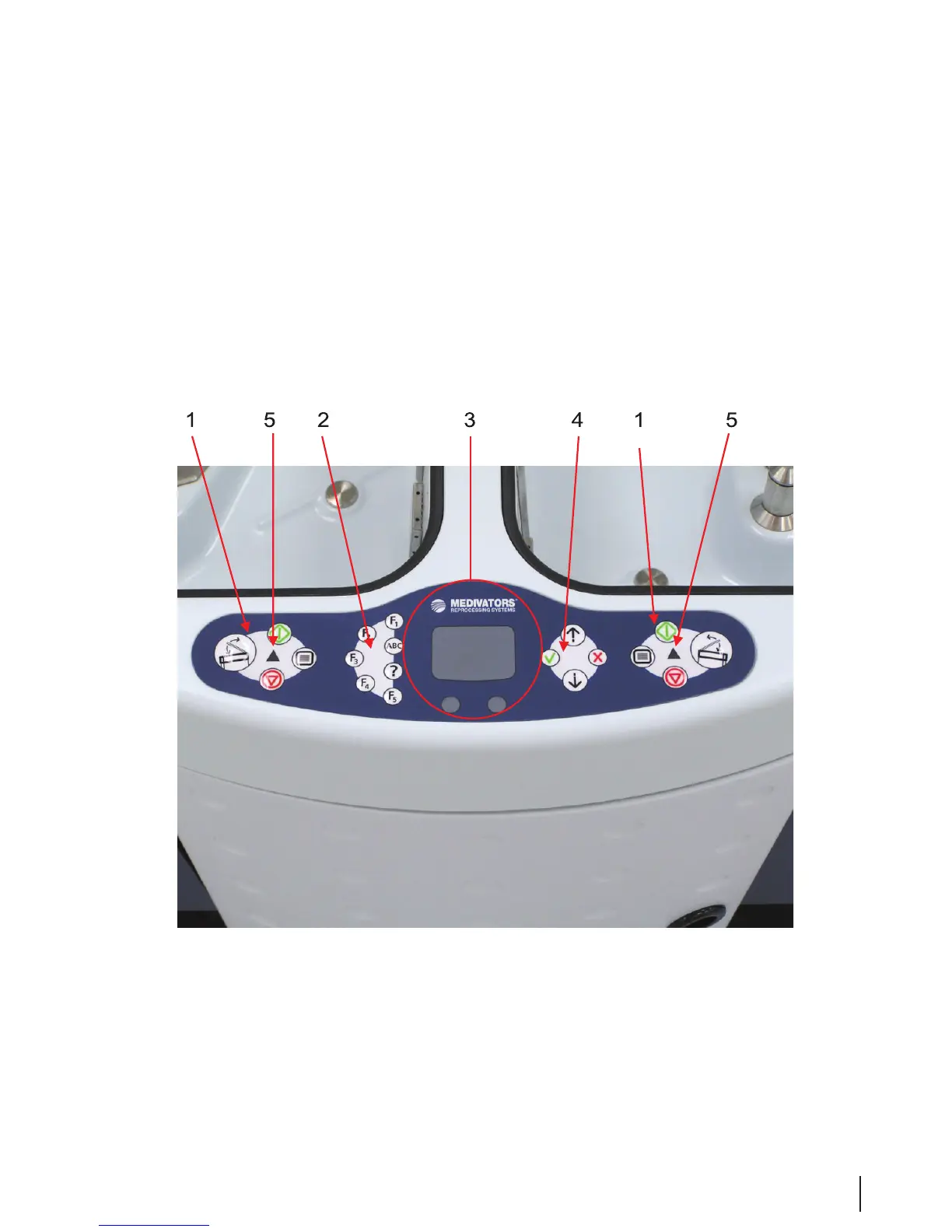
The control panel allows the operator to select settings, operate the reprocessor, and view system messages,
errors and warnings, and cycle information. It consists of ve main groups:
1. Left and right basin control buttons
2. Function buttons
3. Touchpad and mouse buttons
4. Selection buttons
5. Left and right basin LED lights
Figure 6 Control Panel



 To Next Page